
|
Do it yourself
| |||
| ||||


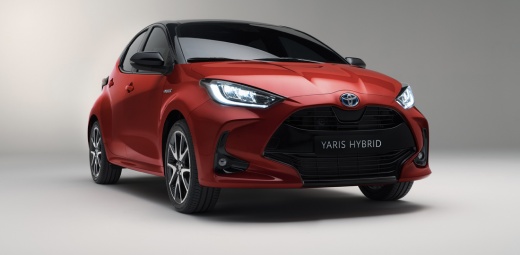
Resetting the Tyre Pressure on a 2020 Toyota Yaris
Model: Toyota Yaris
MK 4
- Years 2020-2026
Often, we forget to turn off the red warning light after changing a tyre or adjusting the tyre pressures. Many times, we struggle to turn it off simply because we cannot find the reset button, as is the case with today's vehicle, a 2020 Toyota Yaris. The reset button is located in a strategic position, just below the steering wheel, next to the OBD port (where testers connect for various diagnostics). You will find a button that you need to hold down for a few seconds to make the warning light disappear from the dashboard.
Updated on 24 May 2026 by ScegliAuto
Video tutorial
Related tutorials
Toyota Yaris
(2020-2026 /
MK 4)
In this guide, we will discover how to reset the tyre pressure warning light on the Toyota Yaris; before resetting the TPMS sensors, ensure that all …

Toyota Yaris
(2020-2026 /
MK 4)
These short and simple instructions will show us the process of resetting the tire pressure warning light (TPMS) of the Toyota Yaris; before performi…

Toyota Yaris
(2020-2026 /
MK 4)
Shortly we will see the instructions that will allow us to reset the tire pressure warning of the Toyota Yaris; before resetting the TPMS sensors, it…
Other guides you may be interested in
|
Frequently Asked QuestionsHow to Replace the External Wing Mirror on a Ford C MAX
In the event of a breakage, it will be necessary to replace the external wing mirror on the 2011 Ford C MAX. This operation is easily performed independently. Start by removing the internal cover of the mirror with a plastic lever. Then, use a socket wrench to remove the securing pins. Once the pins are removed, you can take off the mirror, but not before disconnecting the power connectors. Then proceed to fit the new mirror. First, connect the connectors and then secure the mirror to its housing with the pins. Refit the plastic cover and test the operation of the electric mirror using the controls. by ScegliAuto More videos
|
|
For advertising on this site Write to info@scegliauto.com
ScegliAuto is not responsible for any inaccuracy of the data in the lists. To report any inaccuracy or your business (if you own the business in question), please write to info@scegliauto.com
Number of seconds to generate the page: 0.190
(c) ScegliAuto 2026 - info@scegliauto.com - Privacy policy VAT number: IT01247470535 |
