
|
Do it yourself
| |||
| ||||


How to replace the indicator in the external rear-view mirror of a Toyota Auris E150
Model: Toyota Auris
E150
- Years 2007-2012
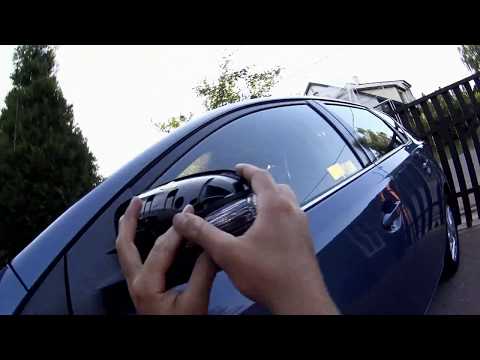
In this video tutorial, you can see how to replace the indicator in the external rear-view mirror of a Toyota Auris E150 by following a few simple steps: first, purchase a new indicator from an authorised car parts dealer. The second step is to carefully remove the plastic cover of the external mirror, as the plastic is delicate and may break. Once the cover is removed, disconnect the electrical cable of the indicator and connect it to the new indicator to ensure it works correctly (turn on the vehicle to check proper operation). Remove the fasteners of the old indicator and then take the indicator out of its housing. Install the new indicator and screw in the fastening screws. Reposition the plastic cover of the mirror.
Updated on 23 June 2026 by ScegliAuto
Video tutorial
Related tutorials
Toyota Auris
(2012-2018 /
E180)
Today we will see the instructions that will allow us to disassemble and replace the bulb of the external rearview mirror of the Toyota Auris. First …

Toyota Auris
(2012-2018 /
E180)
Today we will see the main steps that will allow us to disassemble and replace the external rearview mirror of the Toyota Auris. First of all, we ope…
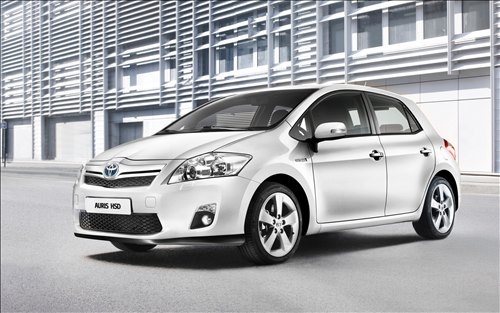
Toyota Auris
(2007-2012 /
E150)
How to proceed with the removal of the mirror cap on a Toyota Auris? Use a plastic lever to detach the mirror cap and the mirror itself. Pry until th…
Other guides you may be interested in
|
How to Open a Stuck Boot on the Peugeot 407?
On the Peugeot 407, the boot may become stuck, possibly due to a problem with the control button or the lock actuator. In such cases, you can perform an emergency opening by following the simple procedure shown in this tutorial. First, open the rear doors, then lower the seat back by operating the release lever. Next, go inside the boot, locate the lock, and manually operate it using a flathead screwdriver. The boot will then be free to open. by ScegliAuto More videos
|
|
For advertising on this site Write to info@scegliauto.com
ScegliAuto is not responsible for any inaccuracy of the data in the lists. To report any inaccuracy or your business (if you own the business in question), please write to info@scegliauto.com
Number of seconds to generate the page: 0.453
(c) ScegliAuto 2026 - info@scegliauto.com - Privacy policy VAT number: IT01247470535 |
