
|
Do it yourself
| |||
| ||||


How do you set the clock on the Toyota Aygo?
Model: Toyota Aygo
MK 1, Ab10
- Years 2005-2014
The clock adjustment of the Toyota Aygo is done by turning on the instrument panel by turning the key in the ignition block: in this way you will have access to the menu that will appear on the central display. You will need to press the MENU button, then select the "Config." and then "Time" options: at this point another screen will appear where you can change the hours and minutes using the buttons located on the sides of the central screen. At this point, you can return to the initial screen after the modification, verifying that the modification is complete.
Posted on 18 April 2024 by ScegliAuto
This video is currently unavailable
Related tutorials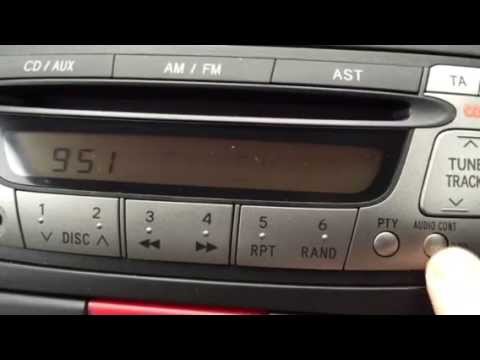
Toyota Aygo
(2005-2014 /
MK 1, Ab10)
This brief video guide demonstrates how to adjust the time on a first-generation Toyota Aygo, produced from 2005 to 2014. To set the time on your Ayg…

Toyota Aygo
(2021-2026 /
MK 3, Aygo X)
In this video, we see how to change the time on a Toyota Aygo Cross X: the system may vary slightly depending on the trim level and infotainment syst…
Toyota Aygo
(2005-2014 /
MK 1, Ab10)
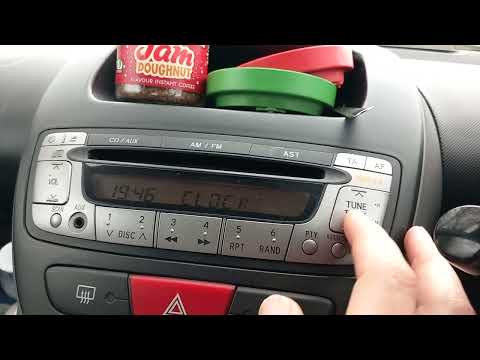
In this guide for all Toyota Aygo first series owners (2005-2014), you will discover step by step how to manually set the displayed time. First, ente…
Other guides you may be interested in
|
How to Replace the Cabin Filter on the Opel Grandland X
If you own an Opel Grandland X and want to know the steps to replace the cabin air filter, carefully read the following guide and follow the described steps. First, enter the vehicle and go to the passenger side. Then, locate the box containing the air filter in the lower side area of the dashboard. Remove the cover of the box and finally replace the old filter with the new one. Refit the cover, and you are done. by ScegliAuto More videos
|
|
For advertising on this site Write to info@scegliauto.com
ScegliAuto is not responsible for any inaccuracy of the data in the lists. To report any inaccuracy or your business (if you own the business in question), please write to info@scegliauto.com
Number of seconds to generate the page: 0.685
(c) ScegliAuto 2026 - info@scegliauto.com - Privacy policy VAT number: IT01247470535 |
