
|
Do it yourself
| |||
| ||||


Where should the toll payment device be placed?
Model: (Various brands) Various
Video tutorial
In this video, we are given an indication of the optimal location to place the toll payment device. This is the so-called "dot area" of the windshield, for several reasons. Firstly, because in that area the visibility is not limited by the positioning of the device. Furthermore, the "dots" tell us that that area is not shielded, and the toll booth sensors can read the impulse that the telepass (or similar device) sends to the reader in the best way. Additionally, the surface with the dots allows for a firmer grip of the adhesive support. All excellent reasons to place the device in that area.
Posted on 9 July 2025 by ScegliAuto
Related tutorials
(Various brands) Various
This is not a video that directly concerns the car but is still related to it: what should we do if we arrive at the toll booth and it doesn't open? …

(Various brands) Various
With the help of this short video tutorial, we will explain how the new "pay per use" Telepass device works. The Telepass system, as we know, allows …
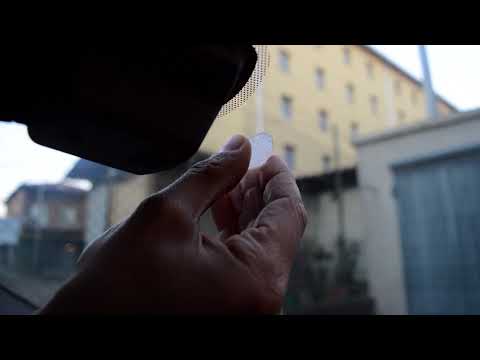
(Various brands) Various
Start by removing the old toll tag by carefully pulling it towards you. Next, remove any adhesive residue left on the windscreen using alcohol or a s…
Other guides you may be interested in
|
How to Remove the Rear Seat of a Hyundai Tucson?
To remove the rear seat of a Hyundai Tucson, follow these steps. Start by moving the front seats to their most forward position to gain space. Next, locate the release lever on the underside of the rear seat, near the floor. Press this lever down while pulling the seat upwards to unlock it from the anchor pins. Once unlocked, tilt the seat upwards and forwards to remove it from its position. Repeat this process for both sides of the rear seat. Be careful of any electrical cables or components that may be connected to the seat during removal. Once the rear seat is removed, the disassembly is complete. by ScegliAuto More videos
|
|
For advertising on this site Write to info@scegliauto.com
ScegliAuto is not responsible for any inaccuracy of the data in the lists. To report any inaccuracy or your business (if you own the business in question), please write to info@scegliauto.com
Number of seconds to generate the page: 0.042
(c) ScegliAuto 2026 - info@scegliauto.com - Privacy policy VAT number: IT01247470535 |
