
|
Do it yourself
| |||
| ||||


How to keep the diesel particulate filter of our car clean
Model: (Various brands) Various
Video tutorial
In this video, we are suggested an additive that can help us keep the particulate filter of our diesel car clean: Bardhal's DPF Cleaner can be found on Amazon with code B07K5875JB at a price of 15.00 euros, with free delivery for Prime customers. It helps remove and dissolve the soot particles accumulated inside the DPF filter; prevents clogging; lowers the temperature required for DPF regeneration and helps extend its lifespan. The recommended quantity is one bottle every 3,000 km traveled, so we will have to do some calculations when refueling.
Posted on 4 November 2025 by ScegliAuto
Related tutorials
(Various brands) Various
On any diesel vehicle, regardless of mileage, there is a manual method to perform a "manual" regeneration of the diesel particulate filter (DPF). You…
(Various brands) Various
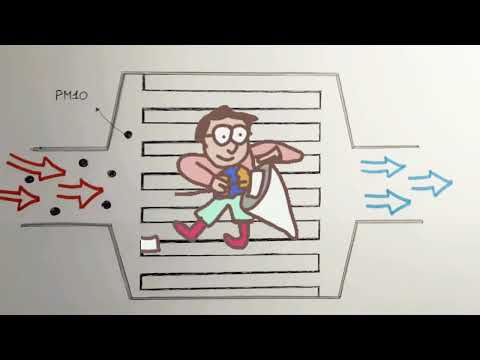
This short video tutorial explains how the diesel particulate filter works: if you have a car with a diesel engine, you have likely seen the DPF ligh…

(Various brands) Various
In this video, we see a cleaning additive for the particulate filter, the "RegenerFap" by Sintoflon: a cleaning additive designed to clean the partic…
Other guides you may be interested in
|
How to Remove the Rear Seat of a Hyundai Tucson?
To remove the rear seat of a Hyundai Tucson, follow these steps. Start by moving the front seats to their most forward position to gain space. Next, locate the release lever on the underside of the rear seat, near the floor. Press this lever down while pulling the seat upwards to unlock it from the anchor pins. Once unlocked, tilt the seat upwards and forwards to remove it from its position. Repeat this process for both sides of the rear seat. Be careful of any electrical cables or components that may be connected to the seat during removal. Once the rear seat is removed, the disassembly is complete. by ScegliAuto More videos
|
|
For advertising on this site Write to info@scegliauto.com
ScegliAuto is not responsible for any inaccuracy of the data in the lists. To report any inaccuracy or your business (if you own the business in question), please write to info@scegliauto.com
Number of seconds to generate the page: 0.009
(c) ScegliAuto 2026 - info@scegliauto.com - Privacy policy VAT number: IT01247470535 |
