
|
Do it yourself
| |||
| ||||


How to Reset the Engine Light on a GWM
Model: (Various brands) Various
Today, you will learn how to reset the engine light on a GWM. To perform the reset of the light, you need to turn the ignition on and off four times in a row while pressing the brake pedal. By following these steps, the engine light will turn off; this operation should be referred to when the engine light activates on the instrument panel due to a shopper error and there are no issues related to the engine. This procedure is also mentioned in the user and maintenance manual but should not be used more than once a month; otherwise, you should visit a workshop as the problem may be due to the ECU.
Posted on 15 April 2026 by ScegliAuto
Video tutorial
Related tutorials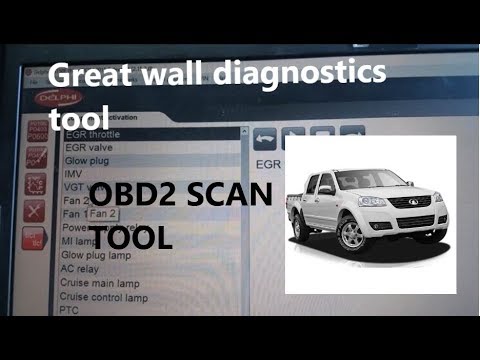
(Various brands) Various
This guide shows how to perform diagnostics on the Great Wall Motors V200 using the DS150E scanner. This tool can be purchased online. To perform the…

(Various brands) Various
Resetting the service light on Piaggio Beverly 300/400 HPE models is a very simple operation. Start by placing the scooter, turned off, on its stand …

(Various brands) Various
Today we will explain how to reset the maintenance reminder on a 2024 LDV Delivery 9 vehicle. Before performing the service light reset, we remind yo…
Other guides you may be interested in
|
Frequently Asked QuestionsHow to Open a Stuck Boot on the Peugeot 407?
On the Peugeot 407, the boot may become stuck, possibly due to a problem with the control button or the lock actuator. In such cases, you can perform an emergency opening by following the simple procedure shown in this tutorial. First, open the rear doors, then lower the seat back by operating the release lever. Next, go inside the boot, locate the lock, and manually operate it using a flathead screwdriver. The boot will then be free to open. by ScegliAuto More videos
|
|
For advertising on this site Write to info@scegliauto.com
ScegliAuto is not responsible for any inaccuracy of the data in the lists. To report any inaccuracy or your business (if you own the business in question), please write to info@scegliauto.com
Number of seconds to generate the page: 0.916
(c) ScegliAuto 2026 - info@scegliauto.com - Privacy policy VAT number: IT01247470535 |
