
|
Do it yourself
| |||
| ||||


How to Reset the Service Light on a Ligier
Model: (Various brands) Ligier
Video tutorial
On a Ligier, the service light reset is performed from the instrument cluster using the controls near the steering wheel. Secure the vehicle with the handbrake engaged and turn the ignition to the ON position without starting the engine, so the instruments and menus are available. At this point, use the control on the steering column to scroll through the onboard computer screens until you reach the maintenance or oil reminder page. When on the correct option, press and hold the same control button for a few seconds until the reset is accepted and the reminder resets. Turn off the ignition, wait a few seconds, and turn it back on to check that the warning does not reappear. Perform this procedure only after actually completing the service/oil change, to avoid losing the maintenance reminder.
Posted on 8 July 2026 by ScegliAuto
Related tutorials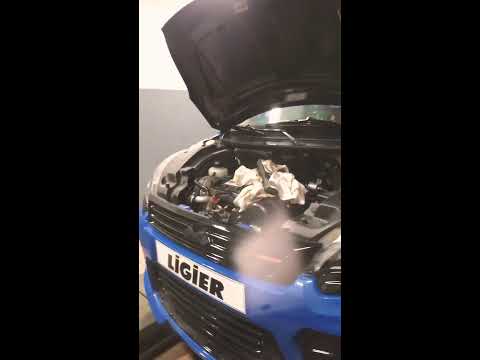
(Various brands) Ligier
(2013-2020 /
)
What to do when the maintenance light appears? Here’s how to reset the maintenance light on a Ligier S50 mini car. Enter the Ligier vehicle and check…

(Various brands) Ligier
(2013-2020 /
)
How to reset the maintenance light? Here’s how to reset the maintenance light on a Ligier JS car. Enter the Ligier vehicle and check the light illumi…

(Various brands) Ligier
The Ligier JS60, the microcar featured in this video, is linked to a maintenance program related to changing the engine oil, oil filter, air filter, …
Other guides you may be interested in
|
Frequently Asked QuestionsHow to Set the Time in an Audi A4?
In this tutorial, you will see how to set the time in an Audi A4, a very simple and quick operation to perform after replacing the battery or when the time changes. First, insert the key and turn on the instrument cluster. Then, press the "SETUP" button located on the center console. Next, press the upper left arrow button, navigate to the "Time" option, and use the central knob to adjust the clock. Finally, set any necessary formats and save by returning to the main screen. by ScegliAuto More videos
|
For advertising on this site Write to info@scegliauto.com
ScegliAuto is not responsible for any inaccuracy of the data in the lists. To report any inaccuracy or your business (if you own the business in question), please write to info@scegliauto.com
Number of seconds to generate the page: 0.050
(c) ScegliAuto 2026 - info@scegliauto.com - Privacy policy VAT number: IT01247470535 |
