
|
Do it yourself
| |||
| ||||


Restoring Driving Modes on the Multisense of R-Link2
Model: (Various brands) Various
For all Renault car owners who have updated to R-Link2 version 7.0 and have experienced issues with the multisense, where selecting any driving mode results in the car reverting to 'neutral' upon restarting. You will need the DDT4ALL; connect and select the RadNav 3.X v3.3 box under the ECU configuration Part III submenu. You will notice that in the first block (the pink one), there are two different entries: 'Normal' and 'Previous'. Now follow the instructions in the video and save the changes made. At this point, when you restart your car, it will return to the previous mode, unless it is the sport version.
Updated on 2 July 2026 by ScegliAuto
Video tutorial
Related tutorials
(Various brands) Various
Is it useful to keep the Eco button pressed while driving? It seems not, as the Eco mode button should only be pressed when you expect fuel consumpti…

(Various brands) Various
A question that everyone with a modern car with an Eco-mode button has asked themselves is: does Eco mode really save fuel? The main feature of Eco m…
(Various brands) Various
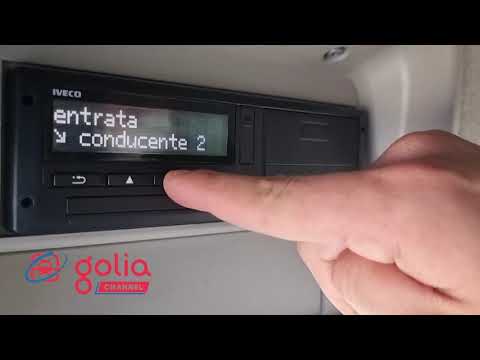
In this video, we will show how to activate the OUT mode on your tachograph. But what is OUT? In private areas, the regulations of EC Regulation 561/…
Other guides you may be interested in
|
Frequently Asked QuestionsHow to Open the Bonnet on the Lancia Y
To open the bonnet on this vehicle, follow these simple instructions: first, open the driver's door and locate the lever positioned just below the dashboard, marked with an image of the vehicle with the bonnet open. Pull this lever towards you until you hear a "click" indicating the bonnet is released. Next, exit the cabin and stand in front of the bonnet to disengage the safety catch and complete the opening. To do this, slightly lift the bonnet, locate the yellow lever underneath, and pull it to the left to fully release and open the bonnet. by ScegliAuto More videos
|
|
For advertising on this site Write to info@scegliauto.com
ScegliAuto is not responsible for any inaccuracy of the data in the lists. To report any inaccuracy or your business (if you own the business in question), please write to info@scegliauto.com
Number of seconds to generate the page: 0.087
(c) ScegliAuto 2026 - info@scegliauto.com - Privacy policy VAT number: IT01247470535 |
