
|
Do it yourself
| |||
| ||||


How to Install Octo Super Easy Telematics
Model: (Various brands) Various
Video tutorial
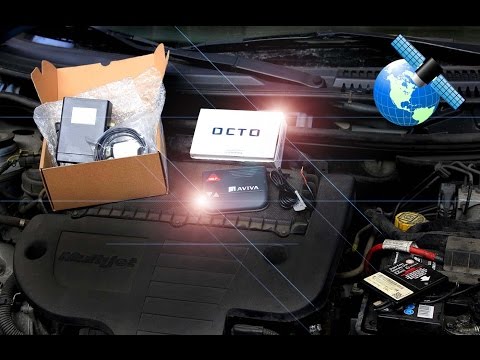
In today's video, you will see how to install the Octo Super Easy satellite telematics device. First, it is advisable to work with the vehicle cold as you will need to access the engine bay. With this clarification, proceed by opening the front bonnet using the lever inside. Next, locate the auxiliary battery, possibly hidden under a cover. You can then connect the respective cables to the terminals on the battery, and you will have completed the job. Check if everything works correctly, and the procedure is complete on the vehicle.
Updated on 14 July 2026 by ScegliAuto
Related tutorials
(Various brands) Various
To install the Octo Telematics electronic device in your car, first open the front bonnet. Start by loosening the positive and negative terminals of …
(Various brands) Various
This guide shows how to install the Octo Telematics black box in your car. This operation does not require any special tools, just a spanner to loose…
(Various brands) Various
Before you begin, open the bonnet of your vehicle. Start by loosening the positive and negative terminals of the battery. Next, take the Octo Telemat…
Other guides you may be interested in
|
Frequently Asked QuestionsHow to Reset the Tyre Pressure Warning Light on a Kia Rio?
The tyre pressure warning light displayed on the instrument cluster of the Kia Rio can be reset by inflating the tyres until they reach the recommended pressure value: this value is indicated on the sticker affixed to the driver's door pillar. Once all tyres have been inflated to the recommended pressure, turn on the ignition to check that the light has disappeared: if it is still present, it may be necessary to drive for a few miles, allowing the sensors to work and thus turning off the light. by ScegliAuto More videos
|
|
For advertising on this site Write to info@scegliauto.com
ScegliAuto is not responsible for any inaccuracy of the data in the lists. To report any inaccuracy or your business (if you own the business in question), please write to info@scegliauto.com
Number of seconds to generate the page: 0.215
(c) ScegliAuto 2026 - info@scegliauto.com - Privacy policy VAT number: IT01247470535 |
