
|
Do it yourself
| |||
| ||||


How to Modify Lane Departure Warning on a Renault Vehicle
Model: (Various brands) Various
Video tutorial
In this video, you will see how to modify the Lane Departure Warning (LDW) system so that it activates at a preset speed, using the DT4ALL. Select the correct model of the car, then select "front cam": inside, you will find some values, select the menu shown by the YouTuber where you will find a series of values and functionalities. In the LDW section, you will find values that can be changed; do not change the radar's field of view, but the two values that follow, which are the speed at which the system activates or deactivates. Then, you will need to perform an ECU reset and a Software reset. Choose according to your needs so that it becomes as unobtrusive as possible.
Updated on 14 October 2026 by ScegliAuto
Related tutorials
(Various brands) Various
In recent years, technology in reference to cars of all brands, including Volkswagen, has increased safety devices. Among the many, we also find Lane…
(Various brands) Various
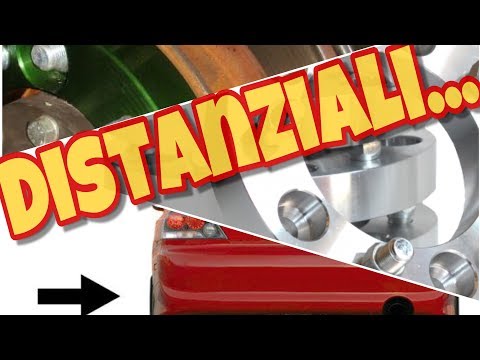
Spacers are aluminium plates that fit between the wheel mounting surface and the wheel itself: since the track measurement is indicated in the vehicl…

(Various brands) Various
In this video we talk about spacers: what they are used for and if installing them brings any benefits. Supercars are usually low and wide, this is b…
Other guides you may be interested in |
How to Remove the Rear Seat of a Hyundai Tucson?
To remove the rear seat of a Hyundai Tucson, follow these steps. Start by moving the front seats to their most forward position to gain space. Next, locate the release lever on the underside of the rear seat, near the floor. Press this lever down while pulling the seat upwards to unlock it from the anchor pins. Once unlocked, tilt the seat upwards and forwards to remove it from its position. Repeat this process for both sides of the rear seat. Be careful of any electrical cables or components that may be connected to the seat during removal. Once the rear seat is removed, the disassembly is complete. by ScegliAuto More videos
|
|
For advertising on this site Write to info@scegliauto.com
ScegliAuto is not responsible for any inaccuracy of the data in the lists. To report any inaccuracy or your business (if you own the business in question), please write to info@scegliauto.com
Number of seconds to generate the page: 0.012
(c) ScegliAuto 2026 - info@scegliauto.com - Privacy policy VAT number: IT01247470535 |
