
|
Do it yourself
| |||
| ||||


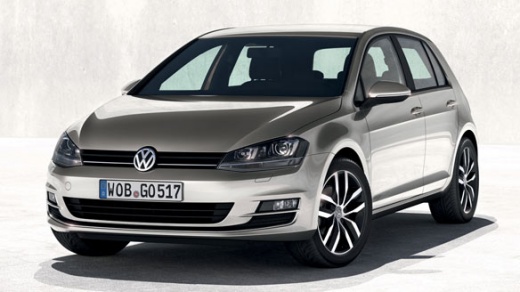
How to install Volkswagen logo puddle lights on a branded vehicle
Model: Volkswagen Golf
MK 7, Golf 7, Golf VII
- Years:
2012, 2013, 2014, 2015, 2016, 2017, 2018, 2019
Video tutorial
In this video, we see how to install puddle lights on the front doors of a Volkswagen car (specifically a Golf). The video refers to devices purchased on Ali Express, but as often happens with this platform, the reference is no longer usable: we can direct you to another code like admonc.com with the code 8055386762952 at a price of 29.99 euros for the two-door version, with free shipping. We dismantle the internal panel of the door, disconnect the connector from the control unit and pull out the wires; we take the brown wire following the detailed instructions of the youtuber and make the connection. We mount the projector in its place and reassemble the door trim. Then we need to activate the software using a laptop and a VAG.com programmer version 19.6.2. We connect it to the EOBD port, turn on the ignition and connect the USB cable to the computer and open VCDS and search for the relevant control unit which is located on block 42, search for coding 7 byte 1 activate bit 2. exit with "exit" "do it". To activate the passenger side projector, we go to block 52 coding 7 byte 1 bit 2 also here "exit" "do it" and we are done.
Posted on 19 December 2024 by ScegliAuto
Related tutorials
Volkswagen Golf
(2012-2019 /
MK 7, Golf 7, Golf VII)
Let's see in this video how to remove and refit the badge logo on the rear tailgate of a Volkswagen Golf. Obtain some scratch-free plastic levers, th…

Volkswagen Golf
(2008-2012 /
Golf 6, MK 6, 5K1, Golf VI)
Learn how to remove the car logo badge from the tailgate of a Volkswagen Golf Mk6. Obtain some plastic trim tools to avoid scratches, then pry betwee…
Volkswagen Golf
(2008-2012 /
Golf 6, MK 6, 5K1, Golf VI)
In this video, learn how to insert radio station logos on a Volkswagen radio: go to setup, and click on "station logos". If there is a radio that doe…
Other guides you may be interested in
|
How to Open the Bonnet on the Mitsubishi L200?
In this tutorial, you will see how to open the bonnet on the Mitsubishi L200, a very simple operation that follows the standard procedure. First, open the vehicle and go to the driver's side, then locate the lever at the lower outer area, just in front of the pedals, and pull it. Next, position yourself in front of the bonnet, locate the second lever above the Mitsubishi logo, and push it to the right, releasing the latch. At this point, you can fully lift the bonnet and secure it with the prop rod. by ScegliAuto More videos
|
|
For advertising on this site Write to info@scegliauto.com
ScegliAuto is not responsible for any inaccuracy of the data in the lists. To report any inaccuracy or your business (if you own the business in question), please write to info@scegliauto.com
Number of seconds to generate the page: 0.013
(c) ScegliAuto 2026 - info@scegliauto.com - Privacy policy VAT number: IT01247470535 |
