
|
Do it yourself
| |||
| ||||


How do you reset the Service indicator light of the Volkswagen Passat?
Model: Volkswagen Passat
B6, 3C
- Years 2005-2010
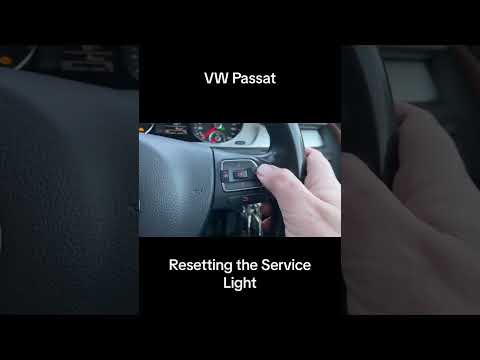
In order to completely reset the Service light on the Volkswagen Passat instrument panel, you will need to turn on the display and press the OK/RESET button located on the lever to the right of the steering wheel. This will allow you to access the menu that will appear on the instrument panel, navigating with the buttons on the same lever. By selecting the "Setup" option and then the "Service intervals" option, you will be able to access the screen that indicates the remaining kilometers until the next service. Pressing the OK/RESET button will allow you to reset the light, also restoring the service intervals.
Posted on 16 September 2025 by ScegliAuto
Video tutorial
Related tutorials
Volkswagen Passat
(2010-2014 /
B7)
Today we will discover the instructions that will allow us to reset the service inspection light of the Volkswagen Passat, in simple steps. First of …
Volkswagen Passat
(2010-2014 /
B7)
If the service light appears on the dashboard of your Volkswagen Passat (2010-2014) even after servicing the vehicle, do not worry as you can manuall…

Volkswagen Passat
(2010-2014 /
B7)
If you want to manually reset the service light that keeps coming on in your Volkswagen Passat B7 (2010-2014), just follow these simple steps. First,…
Other guides you may be interested in
|
How to Repair the Key Spring of the Peugeot 207?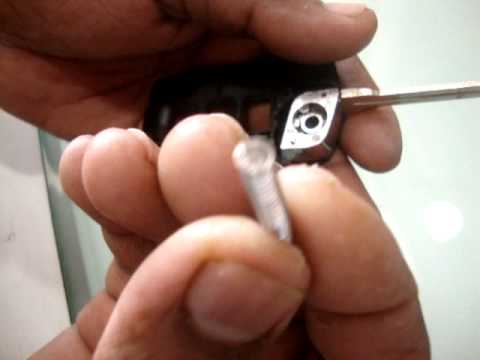
Over time, frequent use of the key's flip mechanism in the vehicle, dozens of times a day, inevitably leads to wear of the internal spring. As shown in this video, replacing the spring is quite simple and takes little time. After opening the casing halfway, first position the key, then the spring housing, and finally insert the spring into the previously mentioned housing. Close the casing by rotating it clockwise, ensuring all components fit perfectly, and test the key's flip mechanism. by ScegliAuto More videos
|
|
For advertising on this site Write to info@scegliauto.com
ScegliAuto is not responsible for any inaccuracy of the data in the lists. To report any inaccuracy or your business (if you own the business in question), please write to info@scegliauto.com
Number of seconds to generate the page: 0.119
(c) ScegliAuto 2026 - info@scegliauto.com - Privacy policy VAT number: IT01247470535 |
