
|
Do it yourself
| |||
| ||||


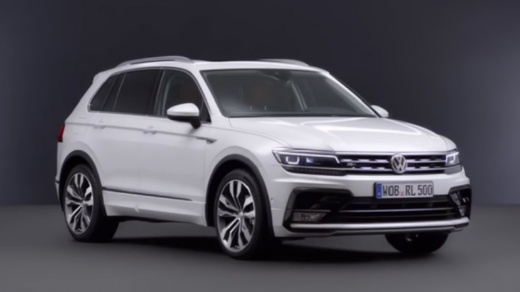
Resetting the Oil Change Indicator on a Volkswagen Tiguan
Model: Volkswagen Tiguan
BW, MK 2, AD
- Years:
2016, 2017, 2018, 2019, 2020, 2021, 2022, 2023, 2024, 2025
Video tutorial
Today, let's see how to reset the oil change indicator on a second-generation Volkswagen Tiguan. This operation is very simple to perform and can be done independently after changing the engine oil and its filter. First, press and hold the right button on the speedometer, then turn the ignition key to the first position. Once done, the maintenance reset request will appear on the display, so release the right button on the speedometer and confirm the operation by pressing the "OK" button located on the right side of the steering wheel.
Posted on 17 February 2026 by ScegliAuto
Related tutorials
Volkswagen Tiguan
(2016-2025 /
BW, MK 2, AD)
In this guide we will see the procedure for resetting the regular maintenance reminder for the engine oil change (service) of the Volkswagen Tiguan. …

Volkswagen Tiguan
(2016-2025 /
BW, MK 2, AD)
Below are the instructions for resetting the service light for the regular maintenance oil change on the Volkswagen Tiguan. First, get in the vehicle…

Volkswagen Tiguan
(2016-2025 /
BW, MK 2, AD)
Today's instructions will allow us to reset the service indicator of the Volkswagen Tiguan, in simple and quick steps. First of all, we get into the …
Other guides you may be interested in
|
How to Activate and Deactivate Cruise Control on the Opel Astra
Today, we will go through the steps to activate and deactivate the cruise control system on the Opel Astra, as well as on the Opel Zafira and Insignia. First, get inside the vehicle and start the engine; to activate the cruise control, you need to reach a certain minimum speed, using the controls found on the right side of the steering wheel to activate the cruise control system. Then press the right button to activate it and select the speed using the selector; simply press the brake pedal or the cruise control activation/deactivation button to disable it. by ScegliAuto More videos
|
|
For advertising on this site Write to info@scegliauto.com
ScegliAuto is not responsible for any inaccuracy of the data in the lists. To report any inaccuracy or your business (if you own the business in question), please write to info@scegliauto.com
Number of seconds to generate the page: 0.165
(c) ScegliAuto 2026 - info@scegliauto.com - Privacy policy VAT number: IT01247470535 |
