
|
Do it yourself
| |||
| ||||


How to Update the Infotainment Software of Volkswagens?
Model: Volkswagen Volkswagen Various
To update the infotainment software of Volkswagens, first insert an SD card containing the update files into the appropriate slot located under the central screen. Once the card is inserted, press and hold the MENU button located to the right of the screen: this will bring up an option from which you can select the update function. By selecting it, you can choose the source from which to take the update files and wait for them to be downloaded and installed.
Posted on 16 April 2026 by ScegliAuto
Video tutorial
Related tutorials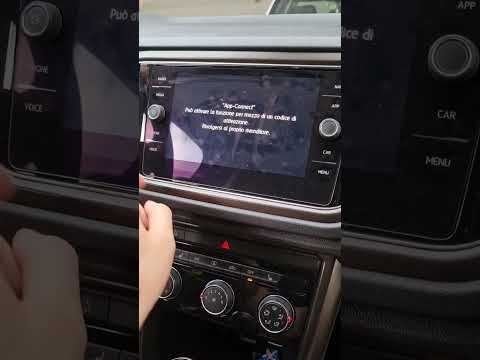
Volkswagen Volkswagen Various
To unlock App Connect and voice commands on Volkswagens, there is no procedure that can be performed independently: the only way to access these feat…

Volkswagen Volkswagen Various
To reset the Volkswagen infotainment system, start with a soft reset to avoid losing data: press and hold the power button for 10/20 seconds (until t…

Volkswagen Volkswagen Various
It should be noted that the attached tutorial video was made while performing the specified technical intervention on an Audi vehicle, but it also pe…
Other guides you may be interested in
|
How to Reset the Tyre Pressure Light on the Opel Grandland X
While driving, if you notice the tyre pressure warning light coming on, first check the actual inflation pressure of the tyres and, if necessary, restore the pressures recommended by the manufacturer. After restoring the correct pressures, you need to reset the warning light that has illuminated on the instrument cluster. To do this, locate the reset button on the lower central console. Press this button and hold it down for at least 3 seconds, after which the low pressure indication will turn off. by ScegliAuto More videos
|
|
For advertising on this site Write to info@scegliauto.com
ScegliAuto is not responsible for any inaccuracy of the data in the lists. To report any inaccuracy or your business (if you own the business in question), please write to info@scegliauto.com
Number of seconds to generate the page: 0.057
(c) ScegliAuto 2026 - info@scegliauto.com - Privacy policy VAT number: IT01247470535 |
