
|
Do it yourself
| |||
| ||||


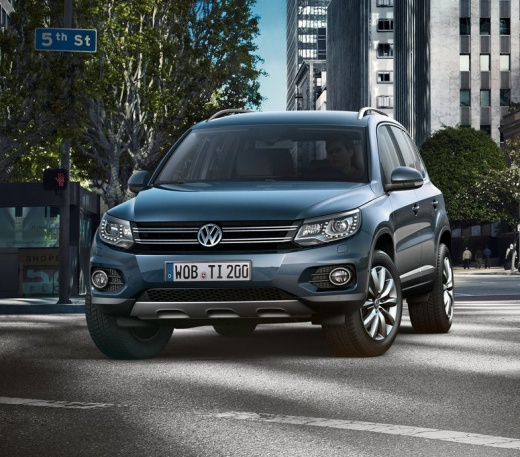
How to Reset the TPMS Light on a Volkswagen Tiguan
Model: Volkswagen Tiguan
5N, MK 1
- Years:
2007, 2008, 2009, 2010, 2011, 2012, 2013, 2014, 2015, 2016
Video tutorial
Below are the instructions that will allow you to reset the tyre pressure warning light on the Volkswagen Tiguan; before recalibrating the TPMS sensors, ensure that all four tyres are at the correct operating pressure. Then, get in the vehicle and start the ignition; next, use the steering wheel controls to navigate to the onboard computer settings and then to the tyre pressure section, confirming and executing the recalibration of the TPMS sensors. At this point, turn off the ignition and start the engine.
Posted on 12 July 2026 by ScegliAuto
Related tutorials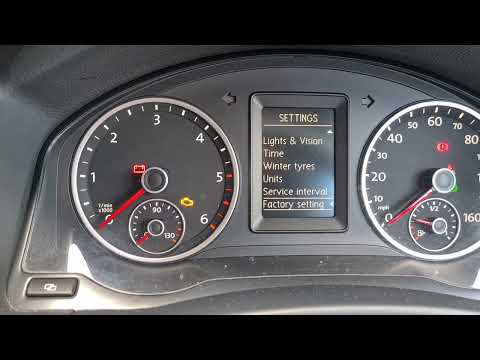
Volkswagen Tiguan
(2007-2016 /
5N, MK 1)
In this tutorial, you will learn how to reset the tyre pressure warning light (TPMS) on a Volkswagen Tiguan; before performing the reset, ensure all …

Volkswagen Tiguan
(2007-2016 /
5N, MK 1)
Today we will see the instructions that will allow us to reset the tire pressure warning of the Volkswagen Tiguan; before calibrating the TPMS sensor…

Volkswagen Tiguan
(2016-2025 /
MK 2, BW, AD)
Here are the instructions on how to reset the tyre pressure monitoring system light on a Volkswagen Tiguan; before resetting the TPMS sensors, it is …
Other guides you may be interested in
|
How to Replace the Internal Door Handle on the Opel Corsa D
Replacing the internal door handle on the Opel Corsa D is a relatively simple task you can do yourself, especially with the help of our video tutorial. Open the affected door and begin removing the panel. Use a Torx key to undo the screw located behind the handle and the locking handle. Detach the panel and disconnect the connector. Place the panel on a flat surface and remove the handle. With a screwdriver, undo the small screw on the handle mechanism and then remove everything. Insert the new handle and fit the mechanism. Once tested for functionality, reattach the panel to the door. by ScegliAuto More videos
|
|
For advertising on this site Write to info@scegliauto.com
ScegliAuto is not responsible for any inaccuracy of the data in the lists. To report any inaccuracy or your business (if you own the business in question), please write to info@scegliauto.com
Number of seconds to generate the page: 0.095
(c) ScegliAuto 2026 - info@scegliauto.com - Privacy policy VAT number: IT01247470535 |
