
|
Do it yourself
| |||
| ||||


How to Replace the Rear Wiper Blade on the Volkswagen Golf
Model: Volkswagen Golf
MK 5, Golf 5, Golf V
- Years 2003-2008
Today, this guide will provide the instructions needed to remove and replace the rear wiper blade on the Volkswagen Golf. First, move to the rear of the vehicle and begin by lifting the wiper arm; then release the plastic clip and rotate the wiper blade to remove it, as shown in the video. At this point, install the new rear wiper blade of the correct type and size, securing it properly to the arm; in the same way, replace both front wiper blades if necessary.
Posted on 21 September 2026 by ScegliAuto
Video tutorial
Related tutorials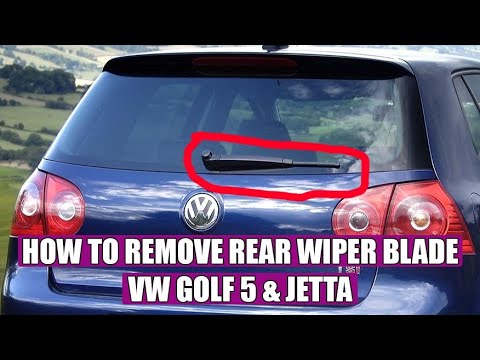
Volkswagen Golf
(2003-2008 /
MK 5, Golf 5, Golf V)
Today, follow these step-by-step instructions to remove and replace the rear wiper or tailgate wiper on the Volkswagen Golf. First, move to the rear …

Volkswagen Golf
(2003-2008 /
MK 5, Golf 5, Golf V)
Today we will discover the steps that will allow us to disassemble and replace the rear windshield wiper motor of the Volkswagen Golf. First, we open…

Volkswagen Golf
(1997-2003 /
Golf IV, MK 4, Golf 4)
Replacing the front windshield wiper of your Volkswagen Golf Mk4 (year 2002) is really very simple. To complete this operation, just read the followi…
Other guides you may be interested in |
How to reset the tyre pressure warning light on the Dacia Sandero?
To reset the tyre pressure warning light on the Dacia Sandero, inflate all the tyres to the pressure indicated on the label on the driver's door. Once the tyres are inflated, turn on the ignition and navigate through the menu using the controls on the right side of the steering wheel. Scroll with the arrows to find the tyre pressure option: by holding down the OK button located on the right side of the steering wheel, you can reset the warning light. by ScegliAuto More videos
|
|
For advertising on this site Write to info@scegliauto.com
ScegliAuto is not responsible for any inaccuracy of the data in the lists. To report any inaccuracy or your business (if you own the business in question), please write to info@scegliauto.com
Number of seconds to generate the page: 0.051
(c) ScegliAuto 2026 - info@scegliauto.com - Privacy policy VAT number: IT01247470535 |
