
|
Do it yourself
| |||
| ||||


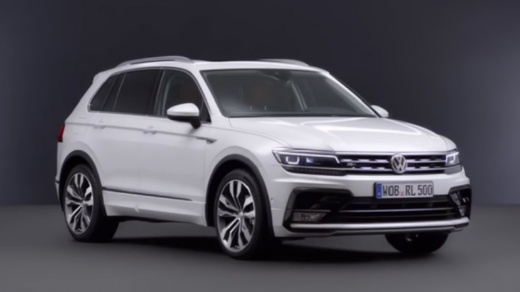
How to activate and deactivate emergency braking on the Volkswagen Tiguan
Model: Volkswagen Tiguan
BW, MK 2, AD
- Years:
2016, 2017, 2018, 2019, 2020, 2021, 2022, 2023, 2024, 2025
Video tutorial
Learn how to activate and deactivate the automatic emergency braking (front assist) on the Volkswagen Tiguan. This can be done in two ways. Start by turning on the instrument panel and navigating through the menu using the buttons on the right side of the multifunction steering wheel. Press the button repeatedly until you see the assistance systems screen. Use the up/down arrow buttons to scroll through the options until you find and select "front assist". Once selected, press the "OK" button to check or uncheck the box. Alternatively, to do this from the infotainment system, touch the "assistance" button and look for the "front assist" (or emergency braking) option in the menu. Touch the switch or box to activate or deactivate the function.
Posted on 2 October 2026 by ScegliAuto
Related tutorials
Volkswagen Tiguan
(2024-2026 /
MK 3)
Briefly, we will see how to disable and activate the Start&Stop system of the Volkswagen Tiguan. First, get into the vehicle and turn on the instrume…

Volkswagen Tiguan
(2024-2026 /
MK 3)
Today we will see the instructions that will allow us to activate and deactivate the automatic door lock of the Volkswagen Tiguan. First of all, we g…

Volkswagen Tiguan
(2007-2016 /
MK 1, 5N)
The following steps will show you how to activate and deactivate the alarm system on a Volkswagen Tiguan. First, open the driver's side front door an…
ScegliAuto offers an extensive international collection of automotive tutorials available in 12 languages. Each guide combines instructional videos with original explanations written by experienced human editors, along with information about the car models covered.
Other guides you may be interested in
|
How to Reset the Tyre Warning Light on the Hyundai I10
The tyre warning light on the instrument panel of your Hyundai I10 (third series) alerts you when there is a puncture or when the tyres are inflated to the wrong pressure. If it lights up accidentally, you can reset it manually by following these steps. Once the instrument panel is on, press the directional button located on the right side of the steering wheel and find the tyre pressure display screen. Finally, press and hold the "OK" button for a few seconds and select the "Set" option to complete the reset of the light. by ScegliAuto More videos
|
|
For advertising on this site Write to info@scegliauto.com
ScegliAuto is not responsible for any inaccuracy of the data in the lists. To report any inaccuracy or your business (if you own the business in question), please write to info@scegliauto.com
Number of seconds to generate the page: 0.021
(c) ScegliAuto 2026 - info@scegliauto.com - Privacy policy - About us VAT number: IT01247470535 |
