
|
Do it yourself
| |||
| ||||


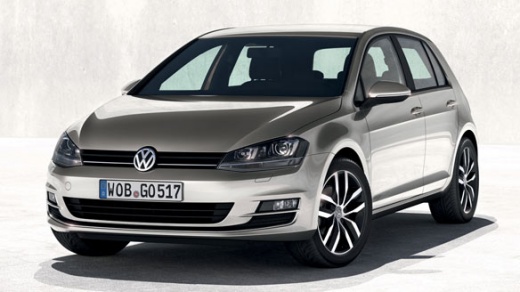
How to Disable ESP on a Volkswagen Golf 7
Model: Volkswagen Golf
MK 7, Golf 7, Golf VII
- Years:
2012, 2013, 2014, 2015, 2016, 2017, 2018, 2019
Video tutorial
If you want to disable traction control and there is no specific button on the frame at the base of the gear lever, you can do it through the onboard computer settings menu: select the CAR button and then perform the SET UP; in the vehicle settings, the first option that appears is the ESC system, which can be disabled; if you want to install the button (which costs a few pounds), you will then need to go through official diagnostics to configure it and make it functional, an operation that requires knowledge of programming codes.
Updated on 20 March 2026 by ScegliAuto
Related tutorials
Volkswagen Golf
(2019-2026 /
MK 8, Golf 8, Golf Viii)
The tutorial shows how to disable the ESP in a Volkswagen Golf 8 R. The ESP can be temporarily disabled for a sportier drive. With the engine running…
Volkswagen Golf
(2003-2008 /
Golf 5, MK 5, Golf V)
To deactivate the alarm of the Volkswagen Golf, connect a diagnostic tool to the vehicle's OBD port: this port is located at the bottom left of the d…

Volkswagen Golf
(2012-2019 /
MK 7, Golf 7, Golf VII)
In this video, you can see how to deactivate and activate the passenger side airbag in the Volkswagen Golf MK7. According to the highway code, it is …
Other guides you may be interested in
|
How to Open the Bonnet on the Mitsubishi L200?
In this tutorial, you will see how to open the bonnet on the Mitsubishi L200, a very simple operation that follows the standard procedure. First, open the vehicle and go to the driver's side, then locate the lever at the lower outer area, just in front of the pedals, and pull it. Next, position yourself in front of the bonnet, locate the second lever above the Mitsubishi logo, and push it to the right, releasing the latch. At this point, you can fully lift the bonnet and secure it with the prop rod. by ScegliAuto More videos
|
|
For advertising on this site Write to info@scegliauto.com
ScegliAuto is not responsible for any inaccuracy of the data in the lists. To report any inaccuracy or your business (if you own the business in question), please write to info@scegliauto.com
Number of seconds to generate the page: 0.035
(c) ScegliAuto 2026 - info@scegliauto.com - Privacy policy VAT number: IT01247470535 |
