
|
Do it yourself
| |||
| ||||


Removing Fuel Flap Lock Actuator on Volkswagen Golf Mk5
Model: Volkswagen Golf
MK 5, Golf 5, Golf V
- Years 2003-2008
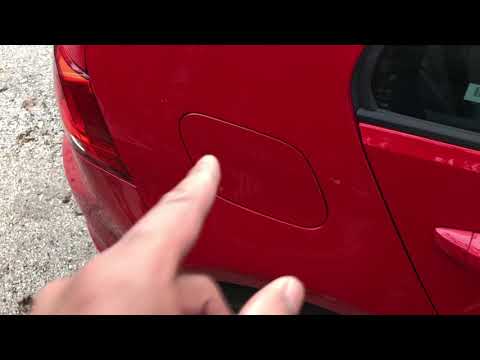
Today, you will learn how to remove and replace the locking actuator for the fuel flap on a Volkswagen Golf Mk5. First, open the fuel flap and unscrew the actuator's fixing screw using a Torx screwdriver; then, using a thin plastic lever, remove the side seal as shown in the video. At this point, remove the actuator along with the flap and the cable; disconnect the cable from the inside of the boot by removing the side trim. All that’s left is to replace everything!
Updated on 2 April 2026 by ScegliAuto
Video tutorial
Related tutorials
Volkswagen Golf
(2003-2008 /
MK 5, Golf 5, Golf V)
In order to replace the fuel filler flap actuator on the Volkswagen Golf, you need to open the rear hatch so that you can remove the side trim of the…
Volkswagen Golf
(2012-2019 /
Golf VII, MK 7, Golf 7)
Let's see how to open the fuel cap for refuelling on a Volkswagen Golf. First, open the fuel flap located on the left side of the car body (press the…

Volkswagen Golf
(2012-2019 /
Golf VII, MK 7, Golf 7)
To replace the fuel door of the Volkswagen Golf, you will also need to replace the entire actuator mechanism: to do this, you will need to open the f…
Other guides you may be interested in |
Frequently Asked QuestionsHow to reset the tyre pressure warning light on a Hyundai Tucson
Below are the instructions to reset the tyre pressure warning light (TPMS) on a Hyundai Tucson. First, get into the vehicle and turn on the instrument cluster; then navigate to the vehicle settings until you reach the tyre pressure monitor, identifying the tyre with incorrect pressure. At this point, restore all tyre pressures according to the specifications indicated on the label; this will reset the TPMS and the warning light will be cleared from the instrument cluster! by ScegliAuto More videos
|
|
For advertising on this site Write to info@scegliauto.com
ScegliAuto is not responsible for any inaccuracy of the data in the lists. To report any inaccuracy or your business (if you own the business in question), please write to info@scegliauto.com
Number of seconds to generate the page: 0.111
(c) ScegliAuto 2026 - info@scegliauto.com - Privacy policy VAT number: IT01247470535 |
