
|
Do it yourself
| |||
| ||||


Removing the Stereo from the VW Polo
Model: Volkswagen Polo
MK IV, Polo IV, Polo 4, MK 4, 9N
- Years 2001-2009
Remove the trim around the stereo using a suitable lever, then unscrew the screws inside the dashboard. Remove the stereo and disconnect the various wiring (disconnect the power connectors and the antenna cable). Fit the original stereo or a generic brand using a suitable metal adapter for 1 DIN or 2 DIN. Secure the trim around the new stereo. Turn on the new stereo and check its operation in all its parts.
Updated on 10 April 2026 by ScegliAuto
Video tutorial
Related tutorials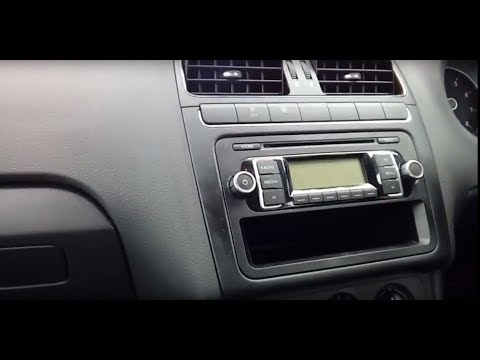
Volkswagen Polo
(2009-2017 /
Polo 5, Polo V, MK 5, MK V, 6R)
To carry out this operation, you will need to obtain appropriate adapters for the connectors at the back of the stereo and for the stereo housing its…
Volkswagen Polo
(2009-2017 /
Polo 5, Polo V, MK 5, MK V, 6R)
First, purchase a suitable adapter for the antenna cable, a new surround for your stereo, and possibly an adapter for the power and control connector…
Volkswagen Polo
(2009-2017 /
Polo 5, Polo V, MK 5, MK V, 6R)
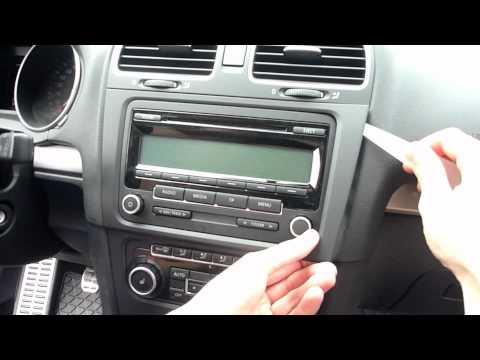
Do you want to remove or replace the stereo in your car? Let’s go through the steps. Use a plastic trim tool to avoid scratching the delicate parts o…
Other guides you may be interested in
|
How to change the time on a Toyota Yaris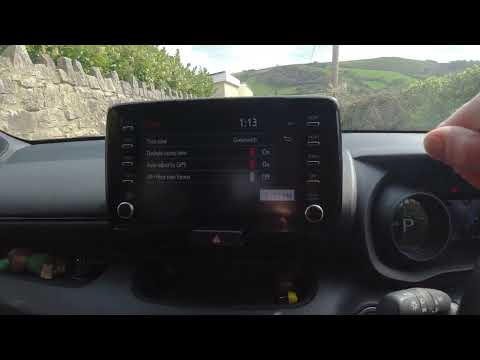
In this video we see how to change the time on a Toyota Yaris, specifically when it comes to switching from daylight saving time to standard time and vice versa. We go to the multifunction screen and press "settings": from there we go to press the clock, simply click on daylight saving time, and the clock will change the time for us, without doing anything else. All we want to do is just adjust the time format to 12 or 24 hours, as is customary in the area where we live: for example in Anglo-Saxon countries it is common to set the time to 12 hours, while in the European Union it is normally set to 24 hours. by ScegliAuto More videos
|
|
For advertising on this site Write to info@scegliauto.com
ScegliAuto is not responsible for any inaccuracy of the data in the lists. To report any inaccuracy or your business (if you own the business in question), please write to info@scegliauto.com
Number of seconds to generate the page: 0.064
(c) ScegliAuto 2026 - info@scegliauto.com - Privacy policy VAT number: IT01247470535 |
