
|
Do it yourself
| |||
| ||||


How to Remove the Ignition Switch from a Volkswagen Golf Plus?
Model: Volkswagen Golf
Golf 5, MK 5, Golf V
- Years:
2003, 2004, 2005, 2006, 2007, 2008
Video tutorial
Today, learn how to remove the ignition switch from the unique Volkswagen Golf Plus. Although the video is quite basic, it serves its purpose well. Once you carefully remove the plastics covering the steering column, locate the ignition switch. Using two tools like a large nail and a needle, proceed as shown in the video by inserting them at the sides of the switch. Next, disconnect the electrical connections from the switch and apply an outward flex on the tools inserted previously at the sides of the switch to act as a puller. The switch has been extracted and is ready for replacement.
Updated on 13 April 2026 by ScegliAuto
Related tutorials
Volkswagen Golf
(2003-2008 /
Golf 5, MK 5, Golf V)
In this video tutorial, you will learn how to remove the ignition barrel on a Volkswagen Golf Mk5. First, remove all the plastic trims around the bar…

Volkswagen Golf
(1997-2003 /
Golf IV, Golf 4, MK 4)
Discover how to remove and replace the steering lock and ignition cylinder on the fourth generation Volkswagen Golf, as well as the Jetta. First, get…
Volkswagen Golf
(2003-2008 /
Golf 5, MK 5, Golf V)
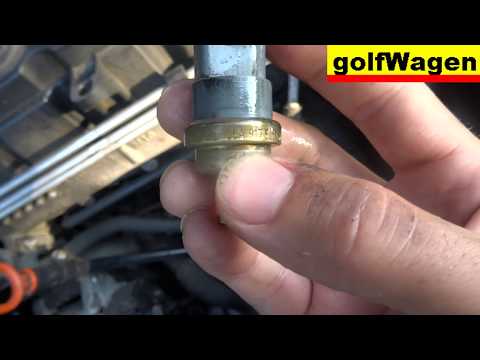
Before starting, open the bonnet of your Volkswagen Golf. Begin by disconnecting the relevant electrical connector. Next, using pliers, unclip and re…
Other guides you may be interested in |
How to Reset the Tire Pressure Light on a MG ZS?
On the instrument cluster of the MG ZS, the tire pressure light that appears can be reset by inflating the tires to the correct pressure: this value will be indicated on the sticker attached to the driver's door pillar. Once the tires have been properly inflated, you can turn on the instrument cluster and navigate through the menu until you find the option that indicates tire pressure: if this screen shows the new values, the light will turn off; otherwise, you will need to drive for a few miles so that the sensors can read the new values and turn off the light afterward. by ScegliAuto More videos
|
|
For advertising on this site Write to info@scegliauto.com
ScegliAuto is not responsible for any inaccuracy of the data in the lists. To report any inaccuracy or your business (if you own the business in question), please write to info@scegliauto.com
Number of seconds to generate the page: 0.019
(c) ScegliAuto 2026 - info@scegliauto.com - Privacy policy VAT number: IT01247470535 |
