
|
Do it yourself
| |||
| ||||


How to Unlock the Hidden Menus on the Volkswagen Golf 7?
Model: Volkswagen Golf
Golf VII, MK 7, Golf 7
- Years 2012-2019
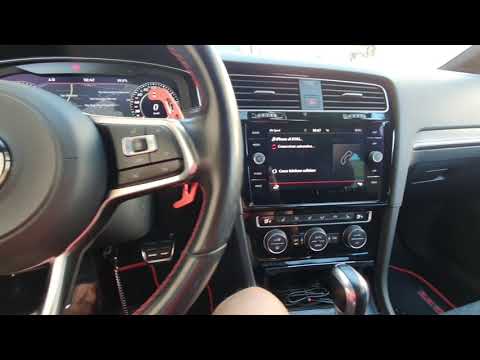
This short video shows how to unlock the hidden menus on your Volkswagen Golf 7. First, with the engine off but the ignition on, press and hold the menu button next to the monitor to enter the hidden submenus. There is a 'green' menu dedicated to the car's engineering and a series of other options where you can change practically every setting. You can change the graphical interface and enable or disable various components. You can save different profiles, and there is support for creating various profiles. Be careful with what you modify as it could cause issues with some applications.
Updated on 6 May 2026 by ScegliAuto
Video tutorial
Related tutorials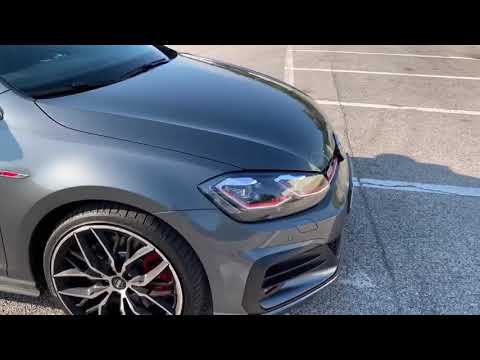
Volkswagen Golf
(2012-2019 /
Golf VII, MK 7, Golf 7)
To unlock the voice commands on the Volkswagen Golf, the only option is to purchase the specific package provided by the manufacturer that allows you…

Volkswagen Golf
(2003-2008 /
MK 5, Golf 5, Golf V)
To unlock the fuel flap on your Volkswagen Golf Mk5, open the boot and remove the side fabric cover. Then, locate the motor for opening the fuel flap…
Volkswagen Golf
(2012-2019 /
Golf VII, MK 7, Golf 7)
To unlock the voice commands and App Connect of the Volkswagen Golf 7, there is no procedure that can be done independently. To access these features…
Other guides you may be interested in
|
Frequently Asked QuestionsHow to Connect the Cables to the Battery of the Citroen Xsara Picasso?
In this tutorial, you will see how to connect the cables to the battery of the Citroen Xsara Picasso, useful if you need to recharge it or perform an emergency start. First, ensure the key is not inserted, then open the bonnet and move to the front of the left headlamp. Next, locate the bolt just behind the filter box and connect the positive terminal clamp to it. Now you can connect the negative terminal to any point on the chassis, such as the indicated point. Once the operation is complete, ensure you disconnect the negative first and then the positive. by ScegliAuto More videos
|

|
For advertising on this site Write to info@scegliauto.com
ScegliAuto is not responsible for any inaccuracy of the data in the lists. To report any inaccuracy or your business (if you own the business in question), please write to info@scegliauto.com
Number of seconds to generate the page: 0.073
(c) ScegliAuto 2026 - info@scegliauto.com - Privacy policy VAT number: IT01247470535 |
