
|
Do it yourself
| |||
| ||||


Clearing Fault Memory with a Smartphone
Model: Volkswagen Golf
Golf 5, MK 5, Golf V
- Years:
2003, 2004, 2005, 2006, 2007, 2008
Video tutorial
Among the numerous applications that can be downloaded and installed on a smartphone, many are related to the automotive world: these are programs that connect via Bluetooth to an interface that plugs into the vehicle's OBD diagnostic socket, allowing you to view and simultaneously store many engine operating parameters. Additionally, it is also possible to read any fault codes stored by the engine management unit and clear them when possible. Connect the interface to the OBD socket, turn on the ignition, and launch the application to read and subsequently clear the fault memory. The fault detected on the vehicle (P0171) refers to an anomaly in the fuel mixture preparation, and the cause should be investigated in the lambda sensor or the mass airflow sensor.
Updated on 15 February 2026 by ScegliAuto
Related tutorials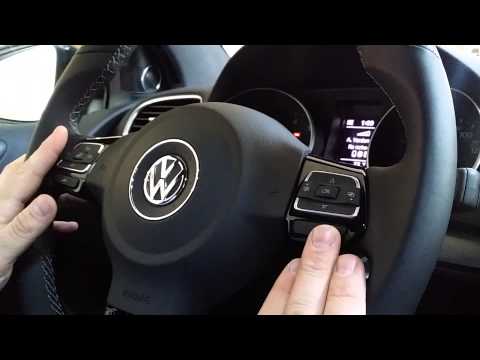
Volkswagen Golf
(2008-2012 /
Golf 6, MK 6, 5K1, Golf VI)
This guide will show you how to connect your smartphone to the multimedia system via Bluetooth in the Volkswagen Golf. First, get inside the cabin an…

Volkswagen Golf
(2012-2019 /
MK 7, Golf 7, Golf VII)
In this tutorial, you will learn how to connect your smartphone to a Volkswagen Golf using Bluetooth, a very simple and quick operation. First, enter…

Volkswagen Golf
(2012-2019 /
MK 7, Golf 7, Golf VII)
This video shows how to play music from your smartphone via Bluetooth on a Volkswagen Golf VII. First, ensure that your phone is correctly paired wit…
Other guides you may be interested in
|
How to reset the tyre pressure warning light on the Kia Niro EV?
To reset the tyre pressure warning light on the Kia Niro EV, inflate the tyres until they reach the correct pressure value. This value is indicated on the sticker attached to the driver's door pillar. Once the tyres are inflated, turn on the instrument cluster to check that the warning light has completely disappeared from the display. If it is still present, you may need to drive for a few miles to ensure it disappears completely from the screen. by ScegliAuto More videos
|
|
For advertising on this site Write to info@scegliauto.com
ScegliAuto is not responsible for any inaccuracy of the data in the lists. To report any inaccuracy or your business (if you own the business in question), please write to info@scegliauto.com
Number of seconds to generate the page: 0.044
(c) ScegliAuto 2026 - info@scegliauto.com - Privacy policy VAT number: IT01247470535 |
