
|
Do it yourself
| |||
| ||||


How to Unlock a Volkswagen Radio
Model: Volkswagen Volkswagen Various
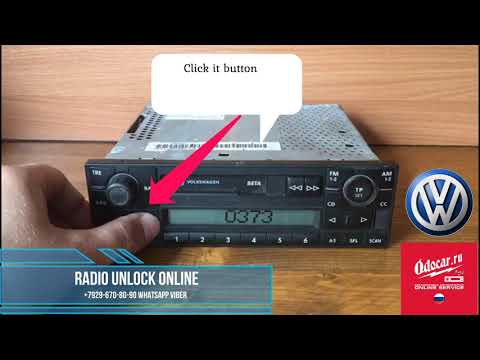
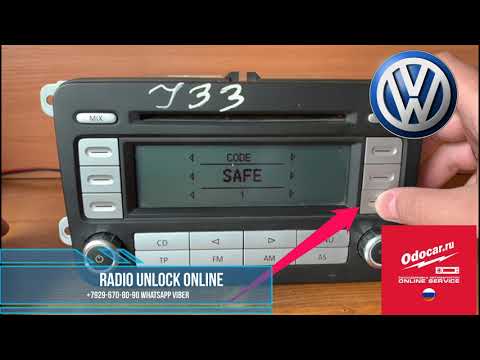
If the Volkswagen radio has gone into "safe" mode due to a power loss and you have lost the unlock code, you can attempt to retrieve it using the barcodes on the unit. Remove the radio from its housing using the release levers inserted at the base of the lower trim and extract the unit. On the top side, there are several barcodes; we are interested in the one without other text, usually positioned on the left. Scan it using one of the free apps available in the smartphone store, and note down the code you read. Using the radio keypad, press the "1" button until the first digit appears, "2" for the second, "3" for the third, and "4" for the fourth digit of the code, and confirm by pressing the right arrow, aligned with the volume knob.
Updated on 3 August 2026 by ScegliAuto
Video tutorial
Related tutorials
Volkswagen Volkswagen Various
When the radio in a Volkswagen is locked, it means you need to enter the specific four-digit unlock code to unlock the system: to do this, you will n…
Volkswagen Volkswagen Various
To unlock the radio in Volkswagen vehicles, you need to completely remove the device from its housing. This will allow you to read the serial number …
Volkswagen Volkswagen Various
When the car radio is disconnected and then reconnected to the car battery, it requires a PIN code, known as the radio code, to be unlocked. In this …
Other guides you may be interested in
|
Fuses Location and Diagram for the Volkswagen Crafter
In this guide, we will look at the location of the fuse boxes and how to find their diagram for the Volkswagen Crafter. First, get inside the vehicle and start by removing the plastic cover found under the steering wheel, to access the internal fuse box; you will find another fuse box in the engine compartment by removing the plastic cover located next to the battery. At this point, use the owner's manual to find the fuse diagram, which will allow you to identify and replace any blown fuses with new ones! by ScegliAuto More videos
|
|
For advertising on this site Write to info@scegliauto.com
ScegliAuto is not responsible for any inaccuracy of the data in the lists. To report any inaccuracy or your business (if you own the business in question), please write to info@scegliauto.com
Number of seconds to generate the page: 0.124
(c) ScegliAuto 2026 - info@scegliauto.com - Privacy policy VAT number: IT01247470535 |
