
|
Do it yourself
| |||
| ||||


How the Volkswagen Connect App Works
Model: Volkswagen Volkswagen Various
How does the Volkswagen Connect app work? Firstly, it works for both Android and Apple phones. With Apple, no configuration is needed. Just connect the cable, and it automatically activates. For Android, you must first download the Android Auto application and complete a brief registration. Upon first access, you will also be asked for permission on the vehicle's computer. You can use the phone's maps; the car's screen is capacitive, making it very responsive. Naturally, you can use the phone through the car's screen. If you have installed Spotify on your phone, you can also use it from the car's screen, utilising the car's speakers. WhatsApp uses voice commands, so you can listen to the messages as they arrive.
Updated on 9 August 2026 by ScegliAuto
Video tutorial
Related tutorials
Volkswagen Volkswagen Various
Unlocking App Connect and voice commands on Volkswagen vehicles cannot be done independently: the only way to access these features is to visit an of…

Volkswagen Volkswagen Various
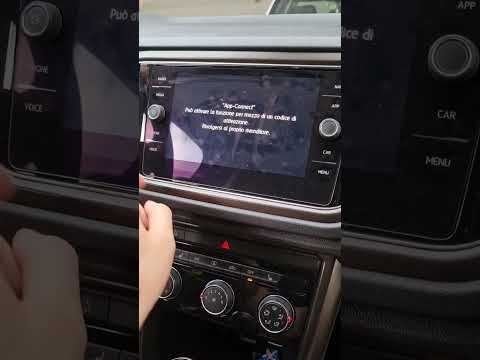
In this tutorial video, you will see how to check the activation of App-Connect in a Volkswagen by following a few simple steps: first, get inside th…
Volkswagen Volkswagen Various
To unlock App Connect and voice commands on Volkswagens, there is no procedure that can be performed independently: the only way to access these feat…
Other guides you may be interested in
|
How to Reset the Tyre Pressure Light on the Opel Grandland X
While driving, if you notice the tyre pressure warning light coming on, first check the actual inflation pressure of the tyres and, if necessary, restore the pressures recommended by the manufacturer. After restoring the correct pressures, you need to reset the warning light that has illuminated on the instrument cluster. To do this, locate the reset button on the lower central console. Press this button and hold it down for at least 3 seconds, after which the low pressure indication will turn off. by ScegliAuto More videos
|
|
For advertising on this site Write to info@scegliauto.com
ScegliAuto is not responsible for any inaccuracy of the data in the lists. To report any inaccuracy or your business (if you own the business in question), please write to info@scegliauto.com
Number of seconds to generate the page: 0.090
(c) ScegliAuto 2026 - info@scegliauto.com - Privacy policy VAT number: IT01247470535 |
