
|
Do it yourself
| |||
| ||||


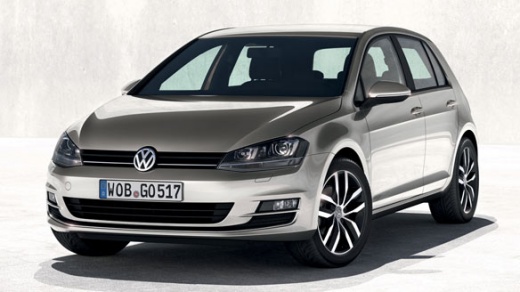
Where is the parking sensor buzzer located in the Volkswagen Golf?
Model: Volkswagen Golf
MK 7, Golf 7, Golf VII
- Years:
2012, 2013, 2014, 2015, 2016, 2017, 2018, 2019
Video tutorial
In this video, you can see where the parking sensor buzzer is located in the Volkswagen Golf and how to proceed if you need to replace it. As shown, the buzzer is positioned in the lower area of the dashboard near the clutch pedal, attached laterally to a metal bracket. To remove it, go underneath the dashboard, unscrew the single fixing bolt, and disconnect the power connector; to fit the replacement, simply follow the reverse procedure. Ensure you operate with the key removed.
Updated on 11 August 2026 by ScegliAuto
Related tutorials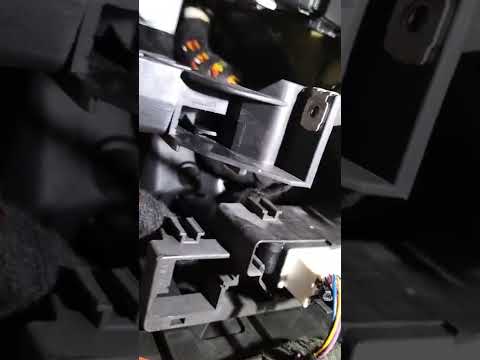
Volkswagen Golf
(2012-2019 /
MK 7, Golf 7, Golf VII)
In this video, you can see where the parking sensor buzzer is located on the Volkswagen Golf, useful in case it stops working and you need to replace…

Volkswagen Golf
(2003-2008 /
Golf 5, MK 5, Golf V)
To disable the seatbelt chime on a Volkswagen Golf 5, lift the carpet immediately under the front seat. Under this carpet, you will find two connecto…

Volkswagen Golf
(2003-2008 /
Golf 5, MK 5, Golf V)
Disabling the seatbelt chime on a Volkswagen Golf 5 is a very simple operation that you can do yourself. Many prefer to disable the chime by removing…
Other guides you may be interested in
|
Frequently Asked QuestionsHow to Open the Fuel Flap on a Volkswagen Tiguan?
To open the fuel flap on a Volkswagen Tiguan, first unlock the car using the appropriate button on the remote. This will open the car and unlock the mechanism that controls the fuel flap. At this point, apply light pressure to the left side of the flap to open it and access the cap underneath. Once this is unscrewed, you can refuel and then close everything. by ScegliAuto More videos
|
|
For advertising on this site Write to info@scegliauto.com
ScegliAuto is not responsible for any inaccuracy of the data in the lists. To report any inaccuracy or your business (if you own the business in question), please write to info@scegliauto.com
Number of seconds to generate the page: 0.133
(c) ScegliAuto 2026 - info@scegliauto.com - Privacy policy VAT number: IT01247470535 |
