
|
Do it yourself
| |||
| ||||


How to Use the App Connect on the Volkswagen Tiguan
Model: Volkswagen Tiguan
BW, MK 2, AD
- Years 2016-2025
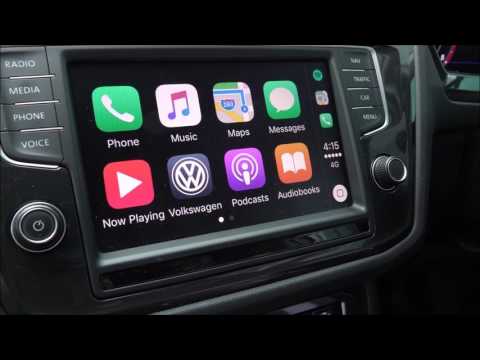
Today's guide will show you the steps to use the App Connect system on the Volkswagen Tiguan, as well as on other models equipped with the same multimedia system. First, get inside the vehicle and turn on the instrument cluster; the first thing to do is pair your smartphone with the car's Bluetooth system, thus connecting important functions like calls and the contacts list, as shown in the video. This will allow access to many other features such as Android Auto, Apple CarPlay, and much more!
Updated on 19 August 2026 by ScegliAuto
Video tutorial
Related tutorials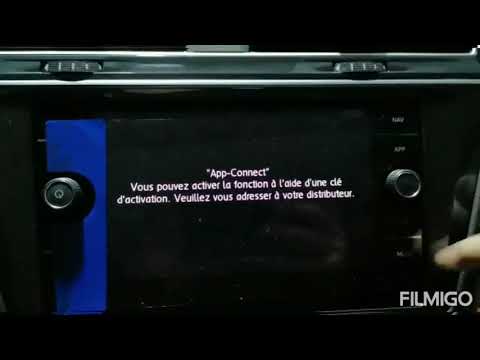
Volkswagen Tiguan
(2016-2025 /
BW, MK 2, AD)
To unlock App Connect on the Volkswagen Tiguan, you need to visit the official network or the dealership where the car was purchased: here, you can p…
Volkswagen Tiguan
(2016-2025 /
BW, MK 2, AD)
The App Connect feature on the Volkswagen Tiguan can be unlocked by visiting the official network or the dealership where the vehicle was purchased: …

Volkswagen Tiguan
(2016-2025 /
BW, MK 2, AD)
Follow these instructions to connect your smartphone via Bluetooth and activate the App Connect feature for Android Auto and Apple CarPlay on the Vol…
Other guides you may be interested in
|
Frequently Asked QuestionsHow to Replace the Cabin Filter on the Opel Grandland X
If you own an Opel Grandland X and want to know the steps to replace the cabin air filter, carefully read the following guide and follow the described steps. First, enter the vehicle and go to the passenger side. Then, locate the box containing the air filter in the lower side area of the dashboard. Remove the cover of the box and finally replace the old filter with the new one. Refit the cover, and you are done. by ScegliAuto More videos
|
|
For advertising on this site Write to info@scegliauto.com
ScegliAuto is not responsible for any inaccuracy of the data in the lists. To report any inaccuracy or your business (if you own the business in question), please write to info@scegliauto.com
Number of seconds to generate the page: 0.070
(c) ScegliAuto 2026 - info@scegliauto.com - Privacy policy VAT number: IT01247470535 |
