
|
Do it yourself
| |||
| ||||


How to Activate the Head-Up Display on the 2017 VW Tiguan
Model: Volkswagen Tiguan
BW, MK 2, AD
- Years 2016-2025
On 2017 Volkswagen Tiguan vehicles, you can activate the Head-up display. This device projects images or other information onto a small transparent hard plastic display through an optical collider. Its purpose is to avoid distractions while driving, as the display is located just above the steering wheel and, being completely transparent, allows important images to pass through to the driver's eyes without the need to look down. To activate the HUD display on the Tiguan, simply press the button located next to the headlight operation selector.
Updated on 20 August 2026 by ScegliAuto
Video tutorial
Related tutorials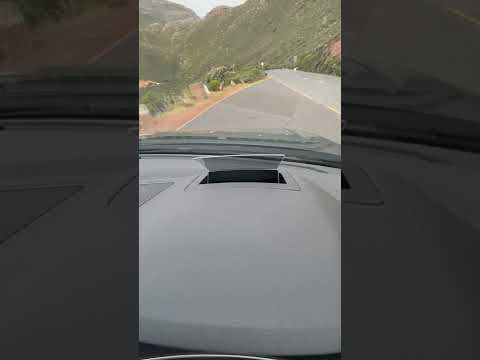
Volkswagen Tiguan
(2024-2026 /
MK 3)
This guide shows how to activate and adjust the head-up display on the Volkswagen Tiguan R-Line Mk3. The head-up display is an optical support that e…

Volkswagen Tiguan
(2024-2026 /
MK 3)
Even the Volkswagen Tiguan, if desired, can be equipped with the head-up display among its many functions, which allows for the transmission of vario…
Volkswagen Tiguan
(2016-2025 /
BW, MK 2, AD)
In this new guide for all you owners of a 2018 second-generation Volkswagen Tiguan, we will discover how to manually activate the daylight saving tim…
Other guides you may be interested in
|
How to Replace the Cabin Filter on the Opel Grandland X
If you own an Opel Grandland X and want to know the steps to replace the cabin air filter, carefully read the following guide and follow the described steps. First, enter the vehicle and go to the passenger side. Then, locate the box containing the air filter in the lower side area of the dashboard. Remove the cover of the box and finally replace the old filter with the new one. Refit the cover, and you are done. by ScegliAuto More videos
|
|
For advertising on this site Write to info@scegliauto.com
ScegliAuto is not responsible for any inaccuracy of the data in the lists. To report any inaccuracy or your business (if you own the business in question), please write to info@scegliauto.com
Number of seconds to generate the page: 0.081
(c) ScegliAuto 2026 - info@scegliauto.com - Privacy policy VAT number: IT01247470535 |
