
|
Do it yourself
| |||
| ||||


How to activate the information display in the Volkswagen Tiguan
Model: Volkswagen Tiguan
BW, MK 2, AD
- Years 2016-2025
Activating or configuring the information display in the Volkswagen Tiguan may vary slightly depending on the model and year of production of the vehicle. However, here is a general guide to activate and customize the information display, such as the onboard computer display and the instrument cluster: ### 1. **Turn on the vehicle: ** - Insert the key and start the engine, or turn on the ignition without starting the engine. ### 2. **Access the display menu: ** - **Models with a central screen: ** Use the central infotainment display (navigation system or radio) to access the settings. You can find configuration and customization options through the menu. - **Models with an analog display: ** If your Tiguan has an analog display with a central information display, use the buttons on the steering wheel or near the display to navigate through the menus. ### 3. **Use the steering wheel buttons (if applicable):** - If your Tiguan is equipped with steering wheel controls, you can use the buttons to navigate the information display menu. Look for the button with the menu icon or a small gear. ### 4. **Navigate through the options: ** - **For the onboard computer display: ** Select the menu that allows you to view the onboard computer information. This menu may include data such as fuel consumption, range, and other travel information. - **For display customization: ** Access the settings menu to customize which information is displayed on the display. You can choose from different options such as outside temperature, tire pressure, vehicle status, etc. ### 5. **Display configuration: ** - **Models with a central screen: ** Use the touchscreen or controller to navigate through the display settings. Select the option for the information display and follow the instructions to customize the displayed information. - **Models with an analog display: ** Use the buttons on the steering wheel or near the display to access the menu and select the desired information. ### 6. **Save the settings: ** - Once you have configured the display as desired, make sure to save the settings. Some vehicles automatically save changes, while in others you may need to confirm the changes by selecting "OK" or a similar option. ### 7. **Verify the configuration: ** - Check the information display to ensure that the information is displayed correctly and that the customization has been applied as desired.
Posted on 14 August 2024 by ScegliAuto
Video tutorial
Related tutorials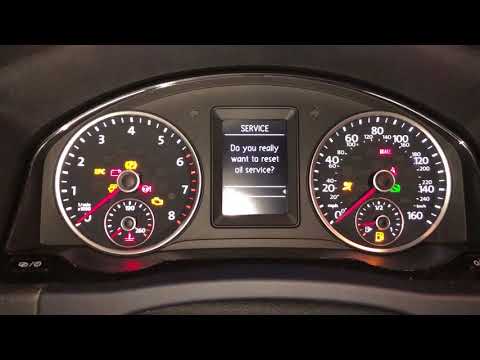
Volkswagen Tiguan
(2007-2016 /
5N, MK 1)
This short video tutorial demonstrates how to reset the service light, which indicates the remaining life of the engine oil, on a first-generation Vo…

Volkswagen Tiguan
(2016-2025 /
BW, MK 2, AD)
The instructions in this guide will show us how to activate the navigation system display on the Volkswagen Tiguan instrument cluster, in simple step…
Volkswagen Tiguan
(2016-2025 /
BW, MK 2, AD)
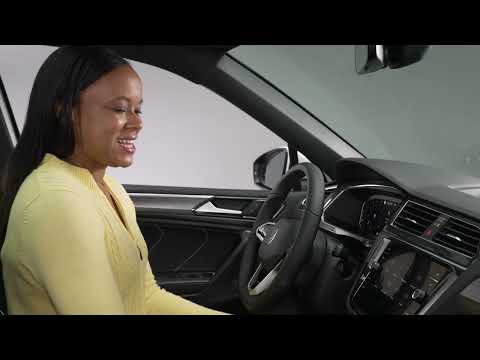
This guide briefly explains how to activate voice commands on the Volkswagen Tiguan, as well as on the T-Roc and T-Cross. First, get in the car and s…
Other guides you may be interested in
|
Frequently Asked QuestionsHow to Connect the Cables to the Battery of the Citroen Xsara Picasso?
In this tutorial, you will see how to connect the cables to the battery of the Citroen Xsara Picasso, useful if you need to recharge it or perform an emergency start. First, ensure the key is not inserted, then open the bonnet and move to the front of the left headlamp. Next, locate the bolt just behind the filter box and connect the positive terminal clamp to it. Now you can connect the negative terminal to any point on the chassis, such as the indicated point. Once the operation is complete, ensure you disconnect the negative first and then the positive. by ScegliAuto More videos
|
|
For advertising on this site Write to info@scegliauto.com
ScegliAuto is not responsible for any inaccuracy of the data in the lists. To report any inaccuracy or your business (if you own the business in question), please write to info@scegliauto.com
Number of seconds to generate the page: 0.675
(c) ScegliAuto 2026 - info@scegliauto.com - Privacy policy VAT number: IT01247470535 |
