
|
Do it yourself
| |||
| ||||


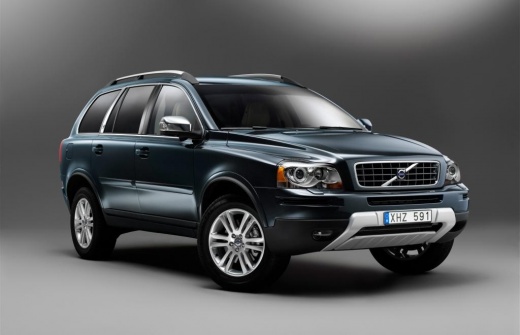
Replacing Rear Brake Rotors and Pads
Model: Volvo Xc90
MK 1
- Years:
2002, 2003, 2004, 2005, 2006, 2007, 2008, 2009, 2010, 2011, 2012, 2013
Video tutorial
To facilitate the replacement of the rear brake rotors and pads, lift the vehicle on the lift and remove the rear wheel; take off the plastic protective caps from the caliper mounting bolts and remove them to take off the caliper; extract the old pads and remove the brake caliper bracket and then the rotor; clean the rotor seat on the hub with a wire brush, apply grease, and install the new rotor after cleaning it from protective oil; then mount the caliper bracket, insert the new pads, compress the piston with the appropriate tool, and reinstall the caliper.
Updated on 18 February 2026 by ScegliAuto
Related tutorials
Volvo Xc90
(2002-2014 /
MK 1)
This guide will show the complete procedure for replacing the rear brake rotors on a Volvo XC90. Note that this guide is not valid for models after 2…

Volvo Xc90
(2002-2014 /
MK 1)
Lift the vehicle on a lift and remove the front wheels after removing the protective caps from the mounting pins. Unscrew the mounting pins of the br…

Volvo Xc90
(2002-2014 /
MK 1)
Follow these steps to adjust the parking brake and its cable on the Volvo XC 90. First, get inside the vehicle and remove the parking brake boot by p…
Other guides you may be interested in
|
How to reset the Service light on a 2019 Jeep Renegade?
The Service light, depicted as a yellow spanner, illuminates as scheduled to remind the driver that it is time for scheduled maintenance. This means that the set mileage has been reached, or the expected time has passed. The procedure involves turning on the instrument cluster, pressing the accelerator three times, and then turning off the ignition. After this, keep the brake pressed, turn the ignition back on, and then turn it off again. Upon the next ignition, you will notice that the light has been reset. by ScegliAuto More videos
|
|
For advertising on this site Write to info@scegliauto.com
ScegliAuto is not responsible for any inaccuracy of the data in the lists. To report any inaccuracy or your business (if you own the business in question), please write to info@scegliauto.com
Number of seconds to generate the page: 0.030
(c) ScegliAuto 2026 - info@scegliauto.com - Privacy policy VAT number: IT01247470535 |
