
|
Do it yourself
| |||
| ||||


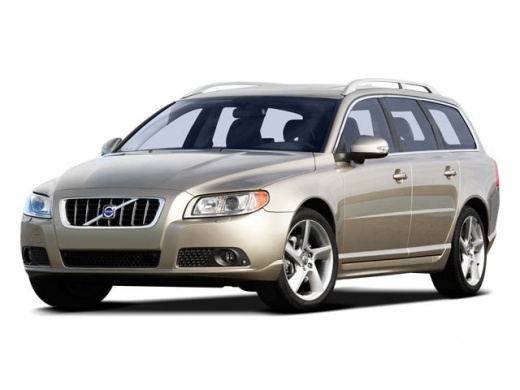
How to Replace Brake Discs and Pads on a VOLVO V70
Model: Volvo V70
MK 3
- Years:
2007, 2008, 2009, 2010, 2011, 2012, 2013, 2014, 2015, 2016
Video tutorial
Necessary tools: Car jack or lift and axle stands, Ratchet and socket set, Screwdrivers, Hex or Torx key, Brake piston compressor or clamp, Brake grease, Thread locking compound (if necessary), Brake fluid. Here are the general steps for replacing the brake discs and pads: Ensure the car is on a flat and safe surface. Lift the car using a car jack or lift and place axle stands for stability. Remove the wheel of the brake you wish to work on using the ratchet and sockets. Ensure you follow the correct lifting procedures and use appropriate safety precautions. Once the wheel is removed, you can access the braking system. You will need to remove the caliper bracket (usually secured with 2 or 4 screws) that holds the pads in place. Using the screwdriver, gently push the brake pistons back into the calipers to make space for the new thicker pads. You can also use a brake piston compressor or clamp to do this. Remove the old pads and check the mounting surfaces to ensure they are clean and free of dirt or rust. If necessary, clean the surfaces with a wire brush or cloth. Install the new pads onto the caliper brackets and ensure they are correctly aligned. Remove the old brake disc. In some cases, you may need to remove the hub bearing pin to extract the disc. Ensure you follow the specific instructions for your model. Clean the hub surface and install the new brake disc. Ensure it is correctly positioned and secured. Refit the caliper bracket onto the new pads and tighten it securely. Repeat steps 3-9 for the other brake discs and pads. After completing the replacement of the discs and pads, refit the wheel and tighten it properly. Repeat the process for the other wheels that require disc and pad replacement. Once the replacement is complete on all wheels, pump the brake pedal repeatedly to restore pressure in the braking system. Check the brake fluid level and, if necessary, add more following the owner's manual instructions. Ensure you use the type of brake fluid recommended by the manufacturer.
Updated on 6 August 2026 by ScegliAuto
Related tutorials
Volvo V70
(2000-2007 /
MK 2)
The information provided in this guide will show us how to carry out the inspection and adjustment of the handbrake of the Volvo V70. To ensure prope…
Volvo V70
(1996-2000 /
MK 1)
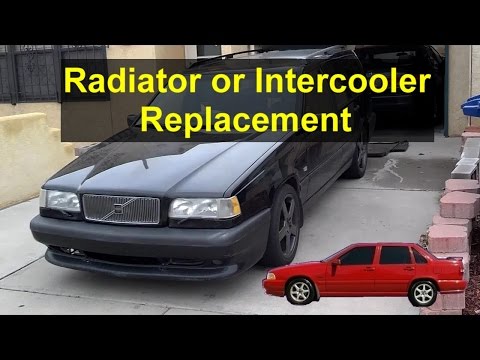
Let's look at replacing the radiator on a Volvo V70. Open the bonnet, detach the engine soundproofing panel; remove the plates that secure the radiat…

Volvo V70
(2007-2016 /
MK 3)
In this mini guide, you will discover where the fuses for the cabin are located in your 2011 Volvo V70. Fortunately, this is a very simple procedure,…
Other guides you may be interested in
|
How to Reset the Tyre Pressure Warning Light on the Jeep Renegade?
To reset the tyre pressure warning light on the Jeep Renegade, inflate the tyres until they reach the recommended pressure: this value is indicated on the sticker attached to the driver’s door pillar. Once the tyres are properly inflated, navigate through the menu that appears on the instrument cluster until you find the tyre pressure option. At this point, press and hold the OK button on the right side of the steering wheel to make the warning light disappear. by ScegliAuto More videos
|
|
For advertising on this site Write to info@scegliauto.com
ScegliAuto is not responsible for any inaccuracy of the data in the lists. To report any inaccuracy or your business (if you own the business in question), please write to info@scegliauto.com
Number of seconds to generate the page: 0.093
(c) ScegliAuto 2026 - info@scegliauto.com - Privacy policy VAT number: IT01247470535 |
