
|
Do it yourself
| |||
| ||||


|
Model: Yamaha Xmax 250
In a few simple steps, we will see how to disassemble and replace the front brake pads of the Yamaha Xmax 250 scooter. First, we put the scooter on the center stand and start unscrewing the fastening screws of the front brake caliper, in order to remove it from the disc; then we press on the caliper piston, removing the old brake pads, as shown in the video. At this point, we clean the caliper from any residual dirt and then install the new original brake pads, finally reassembling the caliper on the disc; in the same way, we will replace the rear brake pads if necessary.
Posted on 16 July 2025 by ScegliAuto
Video tutorial
Related tutorials
Xmax 250
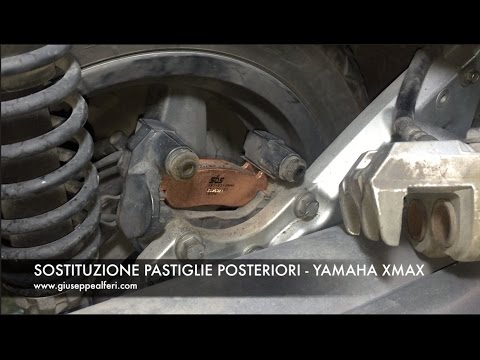
The steps illustrated in this guide will show us how to disassemble and replace the rear brake pads of the Yamaha Xmax 250 scooter. First, we put the…
Xmax 250
Follow these steps to remove and replace the rear brake pads on the Yamaha Xmax 250. First, place your scooter on the centre stand and start unscrewi…
Xmax 250
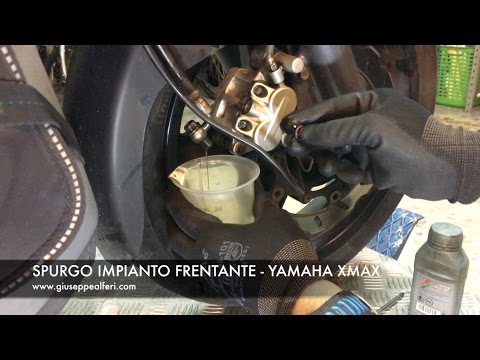
How to replace the brake fluid on a Yamaha Xmax 250? Follow this guide to proceed with the replacement. Position the scooter on its original stand, t…
|
How to Reset the Oil Service on the Yamaha YZF-R25?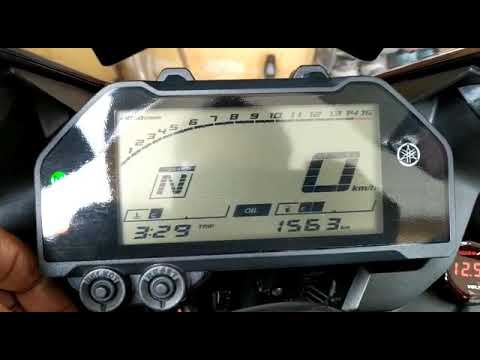
In this tutorial, see how to reset the oil service on the Yamaha YZF-R25, a very simple and quick operation. Before proceeding, ensure that all required scheduled maintenance tasks are completed. Start by inserting the key and turning on the instrument panel; it is not necessary to start the engine. Then, by repeatedly pressing the left button on the dashboard, navigate to the mileage interval labelled "OIL". Once done, press and hold the right button for about 5 seconds, or for the time necessary to reset the interval correctly. by ScegliAuto More videos
|
|
For advertising on this site Write to info@scegliauto.com
ScegliAuto is not responsible for any inaccuracy of the data in the lists. To report any inaccuracy or your business (if you own the business in question), please write to info@scegliauto.com
Number of seconds to generate the page: 0.005
(c) ScegliAuto 2026 - info@scegliauto.com - Privacy policy VAT number: IT01247470535 |
