
|
Do it yourself
| |||
| ||||


How to Replace the Diesel Filter on Alfa Romeo 147
Model: Alfa Romeo 147
MK 1
- Years 2000-2010
To maintain your car, let's look at replacing the diesel filter on an Alfa Romeo 147. Open the engine bonnet and locate the diesel filter. Use a socket spanner to remove the bolts securing the container where the diesel filter is located. Once the filter is removed, disconnect the circulation pipes and the fuel supply clamp to take it out of the vehicle. Install the new filter in the diesel filter container (connect the pipes and cables) and tighten the appropriate bolts in the engine bay with a socket spanner. Close the bonnet after maintenance.
Updated on 15 March 2026 by ScegliAuto
Video tutorial
Related tutorials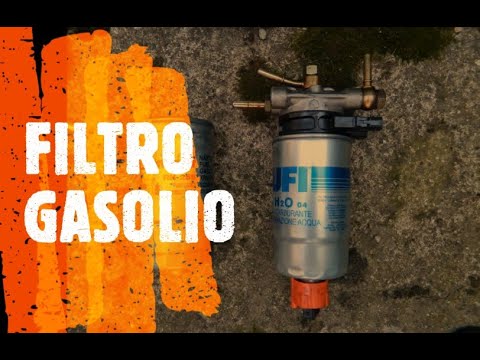
Alfa Romeo 147
(2000-2010 /
MK 1)
In this video tutorial, you will learn how to change the fuel filter on the Alfa Romeo 147. First, lift the bonnet and disconnect the fuel lines from…

Alfa Romeo 147
(2000-2010 /
MK 1)
Removing the diesel filter on an Alfa Romeo 147? Remove the filter from inside the engine bay. Open and lift the front bonnet, disconnect the wires a…
Alfa Romeo 147
(2000-2010 /
MK 1)
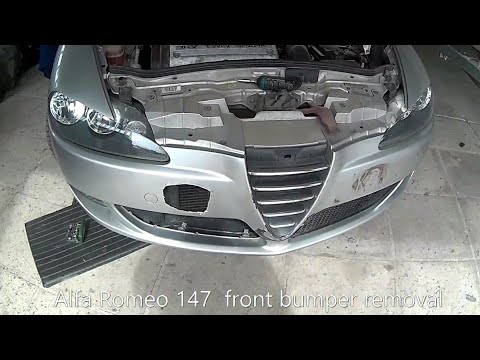
Before starting, open the bonnet of your Alfa Romeo 147. Begin by unscrewing and removing all screws and bolts that secure the front bumper to the ch…
Other guides you may be interested in
|
How to reset the tyre pressure warning light on the Dacia Sandero?
To reset the tyre pressure warning light on the Dacia Sandero, inflate all the tyres to the pressure indicated on the label on the driver's door. Once the tyres are inflated, turn on the ignition and navigate through the menu using the controls on the right side of the steering wheel. Scroll with the arrows to find the tyre pressure option: by holding down the OK button located on the right side of the steering wheel, you can reset the warning light. by ScegliAuto More videos
|
|
For advertising on this site Write to info@scegliauto.com
ScegliAuto is not responsible for any inaccuracy of the data in the lists. To report any inaccuracy or your business (if you own the business in question), please write to info@scegliauto.com
Number of seconds to generate the page: 0.075
(c) ScegliAuto 2026 - info@scegliauto.com - Privacy policy VAT number: IT01247470535 |
