
|
Do it yourself
| |||
| ||||


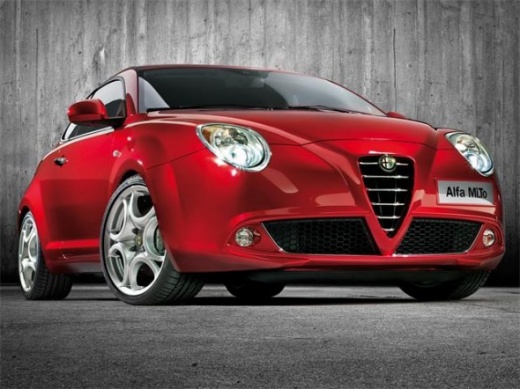
Understanding the Uconnect System of the Alfa Romeo MiTo
Model: Alfa Romeo Mito
MK 1
- Years:
2008, 2009, 2010, 2011, 2012, 2013, 2014, 2015, 2016, 2017, 2018
Video tutorial
In this video, you will learn how the Uconnect system of the Alfa Romeo MiTo works. The radio can be operated using both the touchscreen and the controls. Among the various functions, you can find the main radio screen, as well as connectable devices like Bluetooth and USB. You will also find settings to change the date and time, audio type, light activation, and automatic wipers in reverse, etc. The external temperature can also be displayed. Additionally, it can be operated using voice commands or steering wheel controls. Last but not least, you can view two trip records.
Updated on 26 May 2026 by ScegliAuto
Related tutorials
Alfa Romeo Mito
(2008-2018 /
MK 1)
In this video tutorial, you will see the procedure to remove the Uconnect 5 radio in an Alfa Romeo Mito, following a few simple steps that will allow…

Alfa Romeo Mito
(2008-2018 /
MK 1)
In this tutorial, we can see how to reset the onboard computer in the Alfa Romeo MiTo, an extremely simple and quick operation, to be carried out for…
Alfa Romeo Mito
(2008-2018 /
MK 1)
There is usually a dedicated fuse diagram for your Alfa Romeo Mito that allows you to identify the precise positions of the fuses. Once found, you do…
Other guides you may be interested in
|
How to reset the tyre pressure warning light on the Kia Niro EV?
To reset the tyre pressure warning light on the Kia Niro EV, inflate the tyres until they reach the correct pressure value. This value is indicated on the sticker attached to the driver's door pillar. Once the tyres are inflated, turn on the instrument cluster to check that the warning light has completely disappeared from the display. If it is still present, you may need to drive for a few miles to ensure it disappears completely from the screen. by ScegliAuto More videos
|
|
For advertising on this site Write to info@scegliauto.com
ScegliAuto is not responsible for any inaccuracy of the data in the lists. To report any inaccuracy or your business (if you own the business in question), please write to info@scegliauto.com
Number of seconds to generate the page: 0.023
(c) ScegliAuto 2026 - info@scegliauto.com - Privacy policy VAT number: IT01247470535 |
