
|
Do it yourself
| |||
| ||||


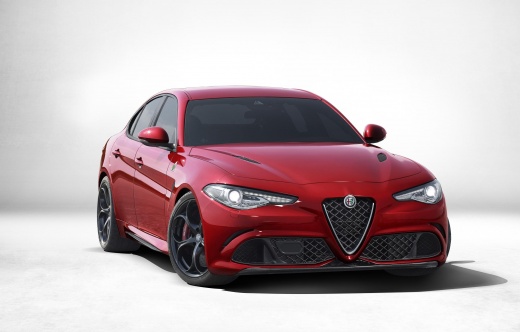
How to Replace the Front Brake Pads on the Alfa Romeo Giulia
Model: Alfa Romeo Alfa Romeo Giulia
MK 1
- Years:
2016, 2017, 2018, 2019, 2020, 2021, 2022, 2023, 2024
Video tutorial
This guide shows how to replace the brake pads on the Alfa Romeo Giulia. After securing and raising the vehicle, lift the axle you will be working on. Remove the wheel. Unscrew the bolts securing the caliper to the disc support and disconnect the wear sensor. Remove the caliper and take out the old pads. Install the new brake components, ensuring they are correctly seated in their respective locations. During this operation, it is advisable to use a caliper support to avoid damaging the cables. At this point, clean the disc with a degreasing product; remove any grease from the inner faces of the pads and the disc. Refit the caliper, tighten the bolts, and reconnect the wear sensor. Refit the wheel and test the brakes before hitting the road.
Updated on 26 May 2026 by ScegliAuto
Related tutorials
Alfa Romeo Alfa Romeo Giulia
(2016-2024 /
MK 1)
On the Alfa Romeo Giulia, the service reset is performed with the vehicle stationary and the engine off. Turn the ignition to ON without starting the…

Alfa Romeo Alfa Romeo Giulia
(2016-2024 /
MK 1)
To clean the MAP sensor of the Alfa Romeo Giulia, first remove the sensor from its housing: to do this, open the bonnet and access the components ins…

Alfa Romeo Alfa Romeo Giulia
(2016-2024 /
MK 1)
This video shows how to put the rear brakes of the Alfa Romeo Giulia and Stelvio into maintenance mode: turn on the instrument panel, and using the j…
Other guides you may be interested in
|
How to reset the tyre pressure warning light on the Kia Niro EV?
To reset the tyre pressure warning light on the Kia Niro EV, inflate the tyres until they reach the correct pressure value. This value is indicated on the sticker attached to the driver's door pillar. Once the tyres are inflated, turn on the instrument cluster to check that the warning light has completely disappeared from the display. If it is still present, you may need to drive for a few miles to ensure it disappears completely from the screen. by ScegliAuto More videos
|
|
For advertising on this site Write to info@scegliauto.com
ScegliAuto is not responsible for any inaccuracy of the data in the lists. To report any inaccuracy or your business (if you own the business in question), please write to info@scegliauto.com
Number of seconds to generate the page: 0.046
(c) ScegliAuto 2026 - info@scegliauto.com - Privacy policy VAT number: IT01247470535 |
