
|
Do it yourself
| |||
| ||||


Audi A5 - Checks and maintenanceChecks And Maintenance Audi A5 (2018-2025 / 8 w 6) Audi A5 (2007-2016 / 8T8, 8T, 8T3, 8F) How to Disable the Start&Stop Feature on an Audi A5? You can disable the Start&Stop feature on the Audi A5 by pressing the dedicated button with an A inside a circular arrow located on the central dashboard …Read all… Posted on 13 July 2026 by ScegliAuto  Audi A5 (2007-2016 / 8T8, 8T, 8T3, 8F) How do you replace the central display of the Audi A5? In order to replace the central display of the Audi A5, you need to pry with an object so that you can detach the trim around the screen. Once this trim has …Read all… Posted on 23 January 2025 by ScegliAuto  Audi A5 (2007-2016 / 8T8, 8T, 8T3, 8F) How to Change the Language of the Onboard Computer on an Audi A5? To change the language of the onboard computer on an Audi A5, turn on the instrument cluster and press the SETUP button on the centre console. This will access …Read all… Posted on 17 October 2026 by ScegliAuto  Audi A5 (2018-2025 / 8W6) How to Disable the Audi Pre-Sense on the Audi A5 Let’s briefly go through the instructions to disable the Audi Pre-Sense on the Audi A5. First, get in the vehicle and turn on the instrument panel; then …Read all… Posted on 23 August 2026 by ScegliAuto 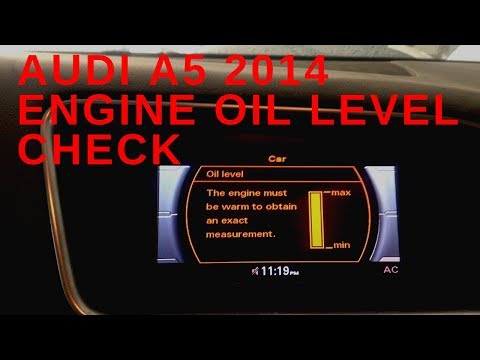 Audi A5 (2007-2016 / 8T8, 8T, 8T3, 8F) How to Check the Engine Oil Level of the Audi A5 Follow these instructions to check the engine oil level of the Audi A5, as well as the Q5. First, get in the vehicle and turn on the ignition; then go to the …Read all… Posted on 30 September 2026 by ScegliAuto  Audi A5 (2007-2016 / 8T8, 8T, 8T3, 8F) How to Check the Engine Oil Level on an Audi A5? To check the engine oil level in an Audi A5, turn on the ignition and then press the CAR button located on the central control panel. This will bring up a menu …Read all… Posted on 28 August 2026 by ScegliAuto
Audi A5 (2007-2016 / 8T8, 8T, 8T3, 8F)How to Change the Coolant in an Audi A5 Do you want to replace the coolant in your A5? Lift the car and remove the protective plastic cover. Unscrew the tap located above the radiator hose at the …Read all… Posted on 18 June 2026 by ScegliAuto  Audi A5 (2007-2016 / 8T8, 8T, 8T3, 8F) Removing the Brake Button on an Audi A5 Let's see how to disassemble and remove the electric brake pedal button on an Audi A5. Remove the various plastic covers to access beneath the button. Using a …Read all… Posted on 8 May 2026 by ScegliAuto Checks And Maintenance Audi A5 (2007-2016 / 8t8, 8t, 8t3, 8 f)
Audi A5 (2007-2016 / 8T8, 8T, 8T3, 8F)How to Disable the Start&Stop Feature on an Audi A5? You can disable the Start&Stop feature on the Audi A5 by pressing the dedicated button with an A inside a circular arrow located on the central dashboard …Read all… Posted on 13 July 2026 by ScegliAuto
Audi A5 (2007-2016 / 8T8, 8T, 8T3, 8F)How do you replace the central display of the Audi A5? In order to replace the central display of the Audi A5, you need to pry with an object so that you can detach the trim around the screen. Once this trim has …Read all… Posted on 23 January 2025 by ScegliAuto
Audi A5 (2007-2016 / 8T8, 8T, 8T3, 8F)How to Change the Language of the Onboard Computer on an Audi A5? To change the language of the onboard computer on an Audi A5, turn on the instrument cluster and press the SETUP button on the centre console. This will access …Read all… Posted on 17 October 2026 by ScegliAuto
Audi A5 (2018-2025 / 8W6)How to Disable the Audi Pre-Sense on the Audi A5 Let’s briefly go through the instructions to disable the Audi Pre-Sense on the Audi A5. First, get in the vehicle and turn on the instrument panel; then …Read all… Posted on 23 August 2026 by ScegliAuto
Audi A5 (2007-2016 / 8T8, 8T, 8T3, 8F)How to Check the Engine Oil Level of the Audi A5 Follow these instructions to check the engine oil level of the Audi A5, as well as the Q5. First, get in the vehicle and turn on the ignition; then go to the …Read all… Posted on 30 September 2026 by ScegliAuto
Audi A5 (2007-2016 / 8T8, 8T, 8T3, 8F)How to Check the Engine Oil Level on an Audi A5? To check the engine oil level in an Audi A5, turn on the ignition and then press the CAR button located on the central control panel. This will bring up a menu …Read all… Posted on 28 August 2026 by ScegliAuto
Audi A5 (2007-2016 / 8T8, 8T, 8T3, 8F)How to Change the Coolant in an Audi A5 Do you want to replace the coolant in your A5? Lift the car and remove the protective plastic cover. Unscrew the tap located above the radiator hose at the …Read all… Posted on 18 June 2026 by ScegliAuto
Audi A5 (2007-2016 / 8T8, 8T, 8T3, 8F)Removing the Brake Button on an Audi A5 Let's see how to disassemble and remove the electric brake pedal button on an Audi A5. Remove the various plastic covers to access beneath the button. Using a …Read all… Posted on 8 May 2026 by ScegliAuto Airbag (1) Car stereo (3) Battery (5) Transmission (2) Convertible top (1) Body (3) Wheel rim (1) Key (15) Timing belt (3) Onboard computer (3) Checks and maintenance (8) Headlight (3) Tail light (4) Fog lights (1) Cabin air filter (4) Light bulb (1) Headlight bulb (6) Handle (5) Starter motor (1) Transmission fluid (1) Engine oil (3) Clock (3) Door trim panel (5) Front bumper (4) Pump (1) Fuel pump (1) Push button (1) Fuse box (22) Seat (3) Door lock (1) Side mirror (5) AdBlue warning light (3) Warning light – error code (6) Tire pressure warning light (16) Service warning light (23) Fuel cap (6) Center console tunnel (1) Blower motor (1) Side window (1) |
How to Open the Hood of the BMW X3
Today, you will learn how to open and close the hood of the BMW X3. To perform this simple operation, lift the hood release lever located next to the door seal on the driver’s side. After pulling the lever, you will notice that the hood will lift slightly. Position yourself in front of the hood and lift it after moving the internal lever from left to right. To keep the hood secure during maintenance, use the side support rod. To close the hood, simply let it fall back into place. by ScegliAuto More videos
|
|
For advertising on this site Write to info@scegliauto.com
ScegliAuto is not responsible for any inaccuracy of the data in the lists. To report any inaccuracy or your business (if you own the business in question), please write to info@scegliauto.com
Number of seconds to generate the page: 0.008
(c) ScegliAuto 2026 - info@scegliauto.com - Privacy policy VAT number: IT01247470535 |
