
|
Do it yourself
| |||
| ||||


How do you reset the MMI system of the Audi A1?
Model: Audi A1
8X, MK 1
- Years 2010-2018
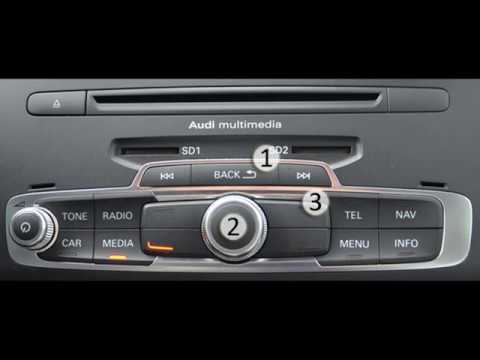
To reset the MMI system on the central display of the Audi A1, you need to insert the ignition key into the ignition switch and turn it to start the instrument panel. Once the panel is on, you can press and hold the NAV/MAP and RADIO buttons located on the center console. While holding these two buttons, also press and hold the knob for about five seconds; after this time interval, you will notice that the infotainment system will turn off and immediately restart, resetting the settings.
Posted on 26 August 2024 by ScegliAuto
Video tutorial
Related tutorials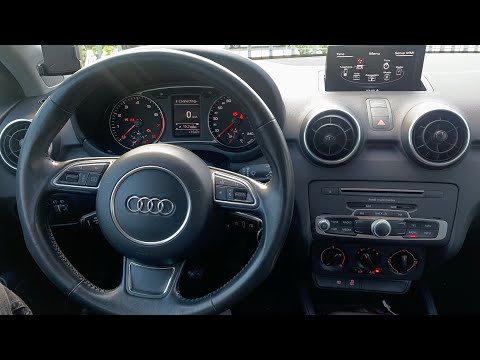
Audi A1
(2018-2025 /
MK 2, GB)
In our Audi A1, it is possible for the multimedia system MMI display to freeze or show various signs of malfunction. In these cases, we can try to so…
Audi A1
(2010-2018 /
8X, MK 1)
In the Audi A1, it may happen that the MMI multimedia system shows signs of malfunction, such as continuous freezes. In these cases, we can try to so…

Audi A1
(2010-2018 /
8X, MK 1)
In this video we can see how to force the reset of the MMI multimedia system of the Audi A1, a very simple operation, to be carried out in the event …
Other guides you may be interested in
|
How to Replace the Oil Sump on a Ford Focus
Follow these steps to remove and replace the oil sump on a Ford Focus engine. Lift the car on a column lift and (at your preferred height) use a socket wrench to unscrew the sump plug, allowing the oil to drain into a container (for disposal) and then re-screw the plug. Remove all the side plastics protecting the undercarriage using a battery or manual drill, then unscrew the fastening bolts around the perimeter of the oil sump. After removing the bolts from the sump, detach it from the engine block along with the gasket using a screwdriver as leverage. Clean everything and refit the new part. by ScegliAuto More videos
|

|
For advertising on this site Write to info@scegliauto.com
ScegliAuto is not responsible for any inaccuracy of the data in the lists. To report any inaccuracy or your business (if you own the business in question), please write to info@scegliauto.com
Number of seconds to generate the page: 0.113
(c) ScegliAuto 2026 - info@scegliauto.com - Privacy policy VAT number: IT01247470535 |
