
|
Do it yourself
| |||
| ||||


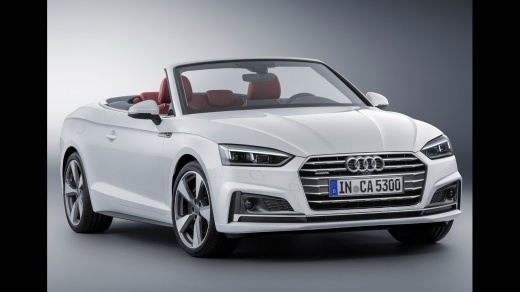
How to activate Launch Control on an Audi vehicle
Model: Audi A5
8W6
- Years:
2018, 2019, 2020, 2021, 2022, 2023, 2024, 2025
Video tutorial
In this video we see how to activate Launch Control in an Audi car equipped with this option: it is an electronic starting system that allows for lightning-fast and optimized starts. In practice, it's like having a sort of integrated rocket in your Audi. It is a powerful tool. And it should be used with caution, especially on public roads, but it is also true that it can be a lot of fun, especially when used on a track. That said, let's see how to activate it: we put the car in "sport" mode, deactivate traction control by pressing the "TCS" button once; put your foot on the brake and keep it pressed, press the accelerator pedal to increase the revs and release the accelerator.
Posted on 5 July 2025 by ScegliAuto
Related tutorials
Audi A5
(2007-2016 /
8T8, 8T, 8T3, 8F)
Removing the steering wheel airbag from an Audi A5 follows the same procedure used on Audi models such as the A1, A3, Q3, and Q5. To remove the steer…

Audi A5
(2018-2025 /
8W6)
To access the cabin fuses of your Audi A5 8W6, read this guide carefully and follow the steps described. First, get into the car and reach the driver…
Audi A5
(2007-2016 /
8T8, 8T, 8T3, 8F)
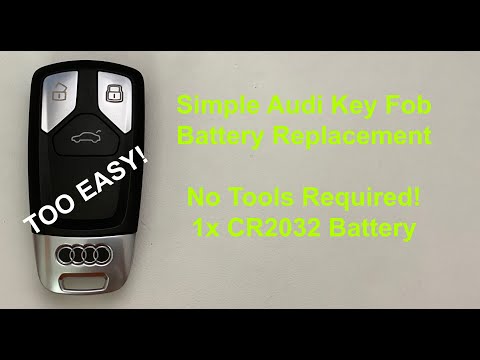
Let's see how to replace the battery in the remote for our Audi A5; the same procedure applies to Audi A4, Audi TT, and other models from the same ma…
Other guides you may be interested in |
How to Activate the Automatic Folding and Unfolding of the Wing Mirrors on the Jeep Compass
Follow these brief instructions to activate the automatic folding and unfolding of the external wing mirrors on the Jeep Compass. First, get inside the vehicle and turn on the ignition; then press the button located beneath the mirror glass adjustment to electrically open the mirror, as shown in the video. Pressing the button in the opposite direction will close the mirrors; by holding the button, the mirrors will open and close automatically! by ScegliAuto More videos
|
|
For advertising on this site Write to info@scegliauto.com
ScegliAuto is not responsible for any inaccuracy of the data in the lists. To report any inaccuracy or your business (if you own the business in question), please write to info@scegliauto.com
Number of seconds to generate the page: 0.139
(c) ScegliAuto 2026 - info@scegliauto.com - Privacy policy VAT number: IT01247470535 |
