
|
Do it yourself
| |||
| ||||


How to reset the mmi of the Audi
Model: Audi Audi Various
If we are experiencing problems with the multimedia system of our car such as screen lock, inability to take commands, or other problems, we can follow the instructions in this description to reset the system and reload the initial settings. First you need to access the driver's seat and turn on the ignition, locate the setup button at the bottom, the multimedia system power button and the button at the top right of the latter. To proceed with the reset it will be necessary to press and hold these three keys at the same time, then wait a few seconds until the new system loading will start.
Posted on 28 May 2022 by ScegliAuto
Video tutorial
Related tutorials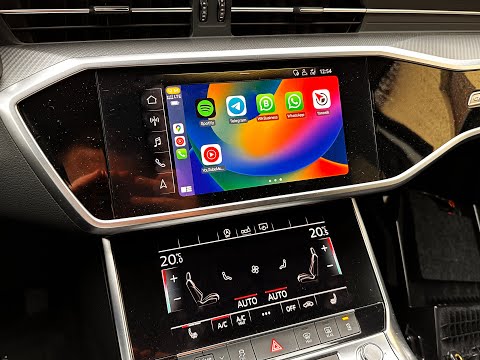
Audi Audi Various
In order to reset the MMI system of Audi vehicles, you need to insert the ignition key so that you can turn on the instrument panel. Once it is turne…

Audi Audi Various
The MMI Audi module allows you to electronically manage a series of electronic devices in the car, such as the navigator, radio, audio system, etc. I…

Audi Audi Various
In this tutorial we can see how to reset the MMI multimedia system in an Audi, an extremely simple and fast operation, to be carried out for example …
Other guides you may be interested in
|
How to Replace the Fuel Filter on Opel Astra
How do you replace the fuel filter on Opel Astra? Let's see the replacement: lift the car with a column lift (jack) and secure it. Remove the locking plate of the filter using a socket spanner (undo the securing bolts next to the plate) where it is located and disconnect the wires and various hoses from the filter. Extract the diesel filter and replace it with a new one. Finally, reassemble the diesel filter housing (connect the hoses and wires) and tighten the bolts to the metal plate (as shown in the video). Lower the car after the replacement. by ScegliAuto More videos
|
|
For advertising on this site Write to info@scegliauto.com
ScegliAuto is not responsible for any inaccuracy of the data in the lists. To report any inaccuracy or your business (if you own the business in question), please write to info@scegliauto.com
Number of seconds to generate the page: 0.107
(c) ScegliAuto 2026 - info@scegliauto.com - Privacy policy VAT number: IT01247470535 |
