
|
Do it yourself
| |||
| ||||


How to reset the Audi A1 MMI multimedia system?
Model: Audi A1
MK 1, 8X
- Years 2010-2018
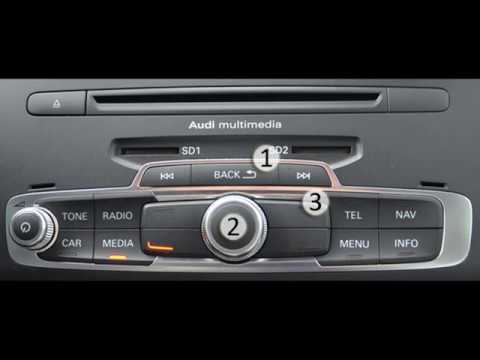
In this video we can see how to force the reset of the MMI multimedia system of the Audi A1, a very simple operation, to be carried out in the event that it shows signs of malfunction, blocks or if we have activated unwanted options. To proceed with the reset, turn on the instrument panel and locate the three buttons indicated: the BACK button, the central knob button and the arrow button at the top right. At this point, we just have to press the three keys simultaneously and wait for the system to restart, which will take about 60 seconds.
Posted on 28 August 2022 by ScegliAuto
Video tutorial
Related tutorials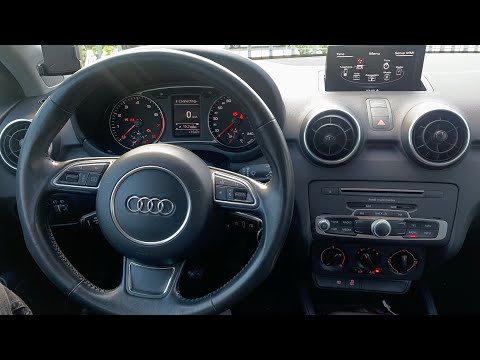
Audi A1
(2018-2025 /
GB, MK 2)
In our Audi A1, it is possible for the multimedia system MMI display to freeze or show various signs of malfunction. In these cases, we can try to so…

Audi A1
(2018-2025 /
GB, MK 2)
To activate Apple CarPlay on the MMI multimedia system of an Audi A1, start by accessing the "Connected devices" or "Bluetooth" section in the MMI sy…
Audi A1
(2010-2018 /
MK 1, 8X)
In the Audi A1, it may happen that the MMI multimedia system shows signs of malfunction, such as continuous freezes. In these cases, we can try to so…
Other guides you may be interested in
|
Frequently Asked QuestionsHow to remove the original radio from a Peugeot 308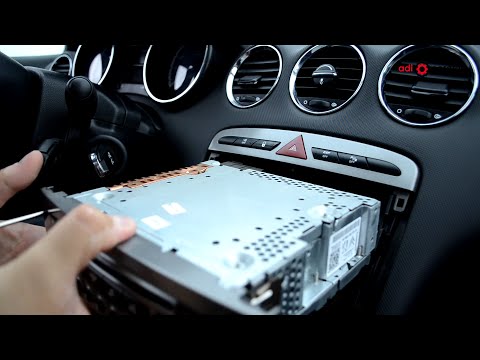
How to remove the original radio from a Peugeot 308? Follow these steps for disassembly: use the original or aftermarket metal keys to remove the stereo from the car. Insert the keys into the holes on the plastic cover of the stereo, pull the stereo towards you as shown in the video, and extract the radio while being careful of the various wiring (disconnect the power connectors and the antenna cable). Finally, reinstall the original radio or a generic brand one using the appropriate adapter (for the input and connector terminals). by ScegliAuto More videos
|

For advertising on this site Write to info@scegliauto.com
ScegliAuto is not responsible for any inaccuracy of the data in the lists. To report any inaccuracy or your business (if you own the business in question), please write to info@scegliauto.com
Number of seconds to generate the page: 0.102
(c) ScegliAuto 2026 - info@scegliauto.com - Privacy policy VAT number: IT01247470535 |
