
|
Do it yourself
| |||
| ||||


Video tutorial
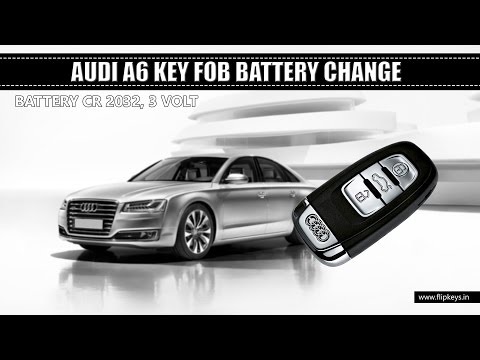
Replacing the key fob battery on the Audi A6 is not difficult and you can do this whenever you notice that the central locking does not always work when you press the appropriate button on the remote. Here’s how to do it. Remove the emergency blade by pressing the designated button and pulling it outwards. Then, use a flathead screwdriver or a similar object to pry it open as shown in the video. This way, you can open the battery compartment (using a CR2032 type battery), remove the old battery, and replace it with a new one before closing everything up and repositioning the key blade back in place.
Updated on 7 July 2026 by ScegliAuto
Related tutorials
Audi A6
(2018-2026 /
MK 5, C8)
As shown clearly in the video, replacing the battery in the remote for the Audi A6 is very simple. There are no screws to remove or other parts to di…

Audi A6
(2018-2026 /
MK 5, C8)
When the smart key of your Audi S6 (2018) suddenly stops working, it is very likely that it is time to replace the small button battery located insid…
Audi A6
(2011-2018 /
C7, MK 4)
How to change the remote key battery of an Audi A6. Let's see in this detailed video how to proceed. Take your remote and press the button to release…
Other guides you may be interested in
|
How to reset the tyre pressure warning light on the Dacia Sandero?
The tyre pressure warning light that appears on the instrument cluster of the Dacia Sandero can be reset by inflating the tyres until they reach the correct pressure value: this value is indicated on the sticker attached to the driver’s door pillar. Once the inflation is complete, navigate through the menu that appears on the instrument cluster to find the option related to the tyres: select this with the OK button, which should then be held down for a few seconds to completely turn off the light. by ScegliAuto More videos
|
|
For advertising on this site Write to info@scegliauto.com
ScegliAuto is not responsible for any inaccuracy of the data in the lists. To report any inaccuracy or your business (if you own the business in question), please write to info@scegliauto.com
Number of seconds to generate the page: 0.125
(c) ScegliAuto 2026 - info@scegliauto.com - Privacy policy VAT number: IT01247470535 |
