
|
Do it yourself
| |||
| ||||


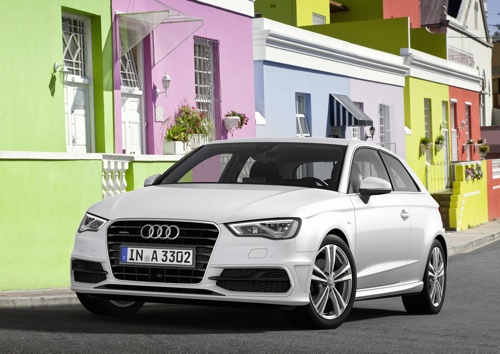
Fitting Aluminium Pedal Covers on Audi A3
Model: Audi A3
8V, MK 3
- Years:
2012, 2013, 2014, 2015, 2016, 2017, 2018, 2019
Video tutorial
Learn how to fit aluminium pedal covers on the Audi A3. Start by removing the old rubber pedal cover from the clutch pedal by pulling it from left to right. Once removed, position the new cover, ensuring the two clips are correctly aligned. Move on to the brake pedal, using the same procedure but pulling from right to left. For the accelerator pedal, fit the new cover over the old one, sliding it from the bottom to the top. At the end of the operation, check that the rear guides are securely tightened. For the footrest, grip the right side, detach it, and pull it out of its housing. Insert the new one in its place, making sure to secure the tabs on the right side properly.
Updated on 1 August 2026 by ScegliAuto
Related tutorials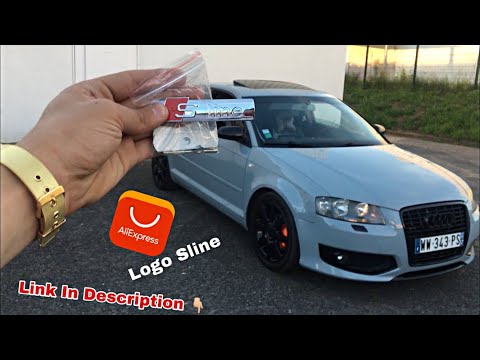
Audi A3
(2003-2013 /
8P, MK 2)
Insert the Sline badge into the front grille alongside the manufacturer's emblem. This sporty badge will give the vehicle a much more attractive appe…

Audi A3
(2012-2019 /
8V, MK 3)
Today we will see the instructions that will allow us to disassemble and replace the air conditioning controls of the Audi A3, in simple steps. First…

Audi A3
(2003-2013 /
8P, MK 2)
Today we will explain how to replace the steering tie rods on an Audi A3 model 8P. To perform the replacement of the tie rods, we need to loosen the …
Other guides you may be interested in
|
How to reset the tyre pressure warning light on the Kia Niro EV?
To reset the tyre pressure warning light on the Kia Niro EV, inflate the tyres until they reach the correct pressure value. This value is indicated on the sticker attached to the driver's door pillar. Once the tyres are inflated, turn on the instrument cluster to check that the warning light has completely disappeared from the display. If it is still present, you may need to drive for a few miles to ensure it disappears completely from the screen. by ScegliAuto More videos
|
|
For advertising on this site Write to info@scegliauto.com
ScegliAuto is not responsible for any inaccuracy of the data in the lists. To report any inaccuracy or your business (if you own the business in question), please write to info@scegliauto.com
Number of seconds to generate the page: 0.021
(c) ScegliAuto 2026 - info@scegliauto.com - Privacy policy VAT number: IT01247470535 |
