
|
Do it yourself
| |||
| ||||


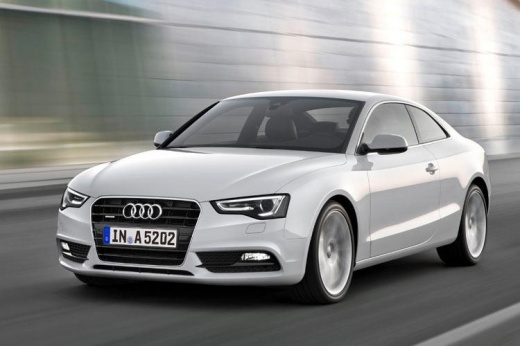
How to Remove the AdBlue Warning Light on an Audi A5?
Model: Audi A5
8T8, 8T, 8T3, 8F
- Years:
2007, 2008, 2009, 2010, 2011, 2012, 2013, 2014, 2015, 2016
Video tutorial
If the AdBlue warning light has illuminated on the dashboard of your Audi A5, it means that the emissions fluid has reached a too low level and needs to be topped up. To do this, simply follow the straightforward procedure shown in this tutorial. First, obtain a canister of urea from any car parts store, then open the boot and retrieve the appropriate key for removing the wheels. Next, open the fuel flap, unscrew the small right cap using the key, and insert the canister tube into the hole. At this point, just add the necessary amount of fluid to reach the maximum level.
Updated on 31 August 2026 by ScegliAuto
Related tutorials
Audi A5
(2007-2016 /
8T8, 8T, 8T3, 8F)
To reset the AdBlue light on an Audi A5, simply top up the additive liquid, as the light often illuminates when the level in the dedicated tank is lo…

Audi A5
(2007-2016 /
8T8, 8T, 8T3, 8F)
If the AdBlue warning light has illuminated on the dashboard of your Audi A5, it means that the emissions fluid has reached the minimum level and nee…

Audi A5
(2007-2016 /
8T8, 8T, 8T3, 8F)
In this tutorial, we can see how to reset the tire pressure warning light in the Audi A5, an extremely simple and quick operation, to be carried out …
Other guides you may be interested in
|
How to Reset the Tyre Pressure Warning Light on the Jeep Renegade?
To reset the tyre pressure warning light on the Jeep Renegade, inflate the tyres until they reach the recommended pressure: this value is indicated on the sticker attached to the driver’s door pillar. Once the tyres are properly inflated, navigate through the menu that appears on the instrument cluster until you find the tyre pressure option. At this point, press and hold the OK button on the right side of the steering wheel to make the warning light disappear. by ScegliAuto More videos
|
|
For advertising on this site Write to info@scegliauto.com
ScegliAuto is not responsible for any inaccuracy of the data in the lists. To report any inaccuracy or your business (if you own the business in question), please write to info@scegliauto.com
Number of seconds to generate the page: 0.086
(c) ScegliAuto 2026 - info@scegliauto.com - Privacy policy VAT number: IT01247470535 |
