
|
Do it yourself
| |||
| ||||


What Does the TPMS Light Indicate in an Audi and How to Reset It?
Model: Audi Audi Various
If the TPMS light has illuminated on your Audi's dashboard, it means that a loss of pressure has been detected in one or more tyres. Once the pressure is restored, you can manually reset the light by following the simple procedure shown in this tutorial. First, turn on the ignition, then press the "MENU" button on the centre console and navigate to the "CAR" section. Next, turn the knob to the left, enter "Services & Checks", select "Tyre pressure loss indicator", and choose "Store tyre pressure". Once the reset is confirmed, you can restart the vehicle.
Updated on 20 September 2026 by ScegliAuto
Video tutorial
Related tutorials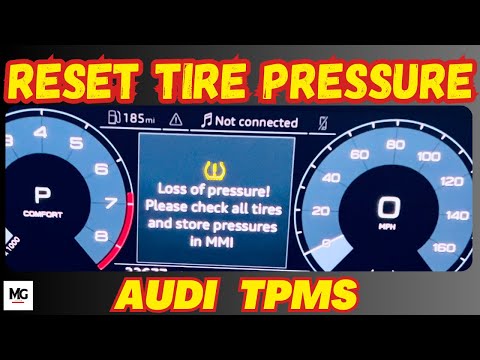
Audi Audi Various
Today, learn how to reset the TPMS light on an Audi vehicle. Before resetting the light, adjust the tyre pressures according to the manufacturer's sp…

Audi Audi Various
In today's video, we will see how to reset the TPMS light of a latest generation Audi vehicle. First, we need to make sure that all four tires have t…

Audi Audi Various
The TPMS warning light reset, related to tire pressure on an Audi car, follows simple and quick steps to be carried out independently. To perform the…
Other guides you may be interested in
|
Where is the Fuel Filter Located in a Volvo XC60?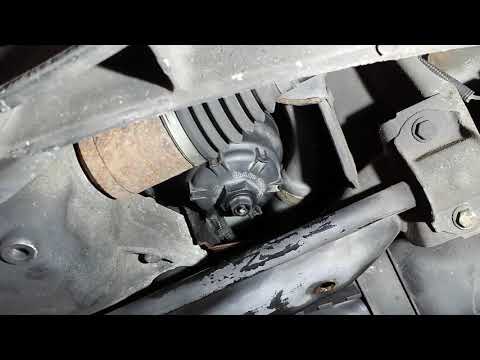
In this video, you will see where the fuel filter is located in a Volvo XC60 and how to proceed if you need to replace it. As shown, the filter is positioned at the lower part of the engine, right between the left half-shaft and the sway bar attachment. To replace the filter, first, go underneath the vehicle, taking all necessary safety precautions. Then, using an 18mm wrench, open the drain valve and allow any water present to escape. Next, unscrew the housing, remove the old filter, insert the replacement along with a new gasket, and reassemble everything. by ScegliAuto More videos
|
|
For advertising on this site Write to info@scegliauto.com
ScegliAuto is not responsible for any inaccuracy of the data in the lists. To report any inaccuracy or your business (if you own the business in question), please write to info@scegliauto.com
Number of seconds to generate the page: 0.129
(c) ScegliAuto 2026 - info@scegliauto.com - Privacy policy VAT number: IT01247470535 |
