
|
Do it yourself
| |||
| ||||


How to reset the service of the Bentley GT Continental
Model: Bentley Continental GT
MK 1
- Years:
2003, 2004, 2005, 2006, 2007, 2008, 2009, 2010, 2011
Video tutorial
In this video, we see how to reset the service light on the Bentley GT Continental. To be honest, it wouldn't be necessary to explain how to do it, because you can simply ask the car and it will tell you on its multimedia screen. However, let's just translate it into Italian, since the screen shows it in English: there are five simple steps. Turn on the ignition by putting the key in the "ON" position, without starting the engine; press and hold the "trip and cancel" button until the dashboard screen resets; release after ten seconds; the screen will display "service reset". Quickly press the textured knob on the steering wheel to confirm the process. Operation completed.
Posted on 13 November 2025 by ScegliAuto
Related tutorials
Bentley Continental GT
(2003-2011 /
MK 1)
If you own a first-generation Bentley Continental GT (2010) and want to know the steps to manually reset the service light, read the following guide …

Bentley Continental GT
(2018-2024 /
MK 3)
In the Bentley Continental, the MMI multimedia system may freeze or show various signs of malfunction. In these cases, you can try to resolve the iss…
Bentley Continental GT
(2018-2024 /
MK 3)
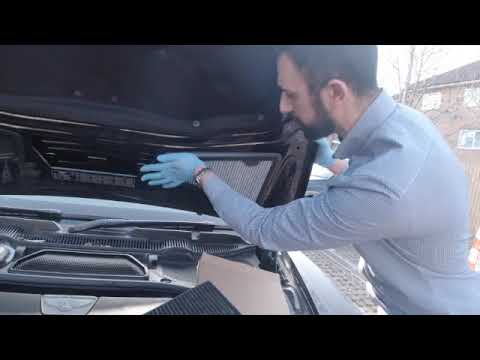
To replace the cabin filter on a Bentley Continental GT, lift the bonnet to access its upper internal part: here you will find two cabin filters. You…
Other guides you may be interested in
|
How to Open the Fuel Flap on a Volkswagen Tiguan?
To open the fuel flap on a Volkswagen Tiguan, first unlock the car using the appropriate button on the remote. This will open the car and unlock the mechanism that controls the fuel flap. At this point, apply light pressure to the left side of the flap to open it and access the cap underneath. Once this is unscrewed, you can refuel and then close everything. by ScegliAuto More videos
|
|
For advertising on this site Write to info@scegliauto.com
ScegliAuto is not responsible for any inaccuracy of the data in the lists. To report any inaccuracy or your business (if you own the business in question), please write to info@scegliauto.com
Number of seconds to generate the page: 0.115
(c) ScegliAuto 2026 - info@scegliauto.com - Privacy policy VAT number: IT01247470535 |
