
|
Do it yourself
| |||
| ||||


How do you reset the Service light on a BMW Series 3?
Model: BMW Serie 3
F31, F30
- Years 2012-2019
It will be possible to completely turn off the Service light that appears on the instrument panel of the BMW Series 3 by turning on the instrument panel and inserting the ignition key into the corresponding slot. Once the panel is on, you can press and hold the button on the left side of the panel to bring up the menu. You will then need to press it again until the option for oil replacement appears; then, you must press and hold the button again until the corresponding light disappears, and the panel can be turned off.
Posted on 4 January 2026 by ScegliAuto
Video tutorial
Related tutorials
BMW Serie 3
(2019-2026 /
G20)
These short and simple steps will illustrate the procedure for resetting the service maintenance light for the oil change in the BMW 3 Series. First,…

BMW Serie 3
(1998-2006 /
E46)
It will be possible to reset the Service indicator on the dashboard of the BMW Series 3 by pressing and holding the button located on the left side o…
BMW Serie 3
(1998-2006 /
E46)
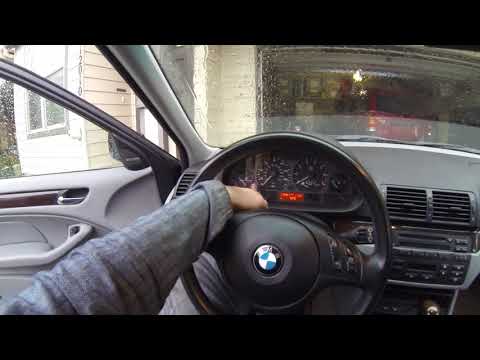
Inside the BMW 3 Series, the reset operation of the Service light is carried out by holding down the button located on the left side of the instrumen…
Other guides you may be interested in
|
How to Install the Sat Nav in the Alfa Romeo 147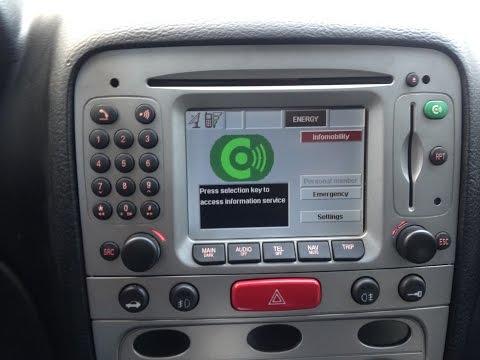
Finding a sat nav for the Alfa Romeo 147 is extremely simple and economical, as this model of sat nav is installed in many models from the brand; first, ensure you obtain the unlock code for the sat nav and the corresponding support frame. Once you have removed the original stereo and the compartment beneath, cut and remove the plastic strip in the centre to insert the frame, which will be secured with four screws along the outer edge and three inside. Then, insert the sat nav by connecting the relevant plugs before securing it in place. by ScegliAuto More videos
|

|
For advertising on this site Write to info@scegliauto.com
ScegliAuto is not responsible for any inaccuracy of the data in the lists. To report any inaccuracy or your business (if you own the business in question), please write to info@scegliauto.com
Number of seconds to generate the page: 0.099
(c) ScegliAuto 2026 - info@scegliauto.com - Privacy policy VAT number: IT01247470535 |
