
|
Do it yourself
| |||
| ||||


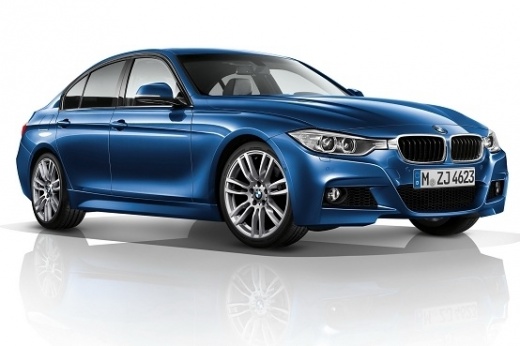
How do you program the key of the BMW Series 3?
Model: BMW Serie 3
F31, F30
- Years:
2012, 2013, 2014, 2015, 2016, 2017, 2018, 2019
Video tutorial
It will be possible to program the key of the BMW Series 3 by inserting the virgin key into the ignition switch: this way, you will be able to turn on the instrument cluster and connect a diagnostic tool to the OBD port. The latter will be located under the steering column, and once the connection is made, you will be able to select the specific car model and its corresponding version: then, you will need to follow the instructions displayed on the screen to ensure that the device is properly coded. After the operation, you should disconnect the scanner to verify that everything is functioning correctly.
Posted on 5 January 2026 by ScegliAuto
Related tutorials
BMW Serie 3
(1998-2006 /
E46)
To program the key for the BMW 3 Series, insert the unprogrammed key into the ignition switch of the vehicle. Next, connect a diagnostic tool or a co…

BMW Serie 3
(2012-2019 /
F31, F30)
The maintenance of the BMW 3 Series f30 is carried out according to a specific maintenance program established by the manufacturer, based on kilomete…

BMW Serie 3
(2012-2019 /
F31, F30)
To permanently disable the start-stop activation on this vehicle, you need an Ethernet cable including an OBD2 connector to connect to the car's diag…
Other guides you may be interested in
|
How to reset the tyre pressure warning light on the Kia Niro EV?
To reset the tyre pressure warning light on the Kia Niro EV, inflate the tyres until they reach the correct pressure value. This value is indicated on the sticker attached to the driver's door pillar. Once the tyres are inflated, turn on the instrument cluster to check that the warning light has completely disappeared from the display. If it is still present, you may need to drive for a few miles to ensure it disappears completely from the screen. by ScegliAuto More videos
|
|
For advertising on this site Write to info@scegliauto.com
ScegliAuto is not responsible for any inaccuracy of the data in the lists. To report any inaccuracy or your business (if you own the business in question), please write to info@scegliauto.com
Number of seconds to generate the page: 0.130
(c) ScegliAuto 2026 - info@scegliauto.com - Privacy policy VAT number: IT01247470535 |
