
|
Do it yourself
| |||
| ||||


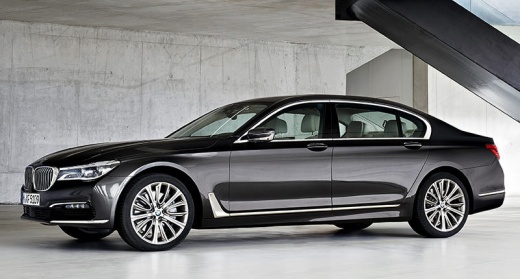
How to Reset the Tire Pressure Light on the BMW 7 Series MK6
Model: BMW Serie 7
MK 6, G11, G12
- Years:
2015, 2016, 2017, 2018, 2019, 2020, 2021, 2022
Video tutorial
Let's see the procedure to reset the tire light on the BMW 7 Series MK6 (G11/G12). The entire procedure is managed by the iDrive system (there are no physical buttons on the dashboard). Turn on the ignition. On the central screen, enter the "Vehicle" menu (car icon), then select "Vehicle Info" and click on "Tire Pressure" (it may also be "Pressure Monitoring" or directly "TPMS"). At this point, if the system has already detected the sensors, the "Reset" button will appear. Touch it to confirm the request. Now the system will instruct you to drive for 3 minutes at a speed above 18.6 mph to complete the recalibration. During the drive, the pressures will be detected and saved.
Posted on 19 June 2026 by ScegliAuto
Related tutorials
BMW Serie 7
(2015-2022 /
MK 6, G11, G12)
In this tutorial, you will see how to reset the tire light on a BMW 7 Series, a very simple and quick operation that should be done only after restor…

BMW Serie 7
(2001-2008 /
E68, MK 4, E65, E67, E66)
This guide provides instructions to reset the tire pressure sensors on the BMW 7 Series. Before resetting the TPMS warning light, ensure all four tir…

BMW Serie 7
(2015-2022 /
MK 6, G11, G12)
Note that the tutorial video provided was made using a 2017 BMW 7 Series, but the work done applies to any BMW vehicle. The electronic sensors that m…
Other guides you may be interested in |
How to lower the rear seats in the Peugeot 206?
In this tutorial, you will see how to lower the rear seats in the Peugeot 206, a very simple and quick operation, for example, if you need more space in the boot. First, open both the doors and the tailgate, then unclip the seat base and position it vertically. Next, remove the horizontal partition, locate the release levers at the ends of both seatbacks, and, by operating them, lower the seatbacks. To reassemble everything, simply follow the reverse procedure. by ScegliAuto More videos
|
|
For advertising on this site Write to info@scegliauto.com
ScegliAuto is not responsible for any inaccuracy of the data in the lists. To report any inaccuracy or your business (if you own the business in question), please write to info@scegliauto.com
Number of seconds to generate the page: 0.013
(c) ScegliAuto 2026 - info@scegliauto.com - Privacy policy VAT number: IT01247470535 |
