
|
Do it yourself
| |||
| ||||


How to Install a Backup Camera on BMW 3 Series E46
Model: BMW Serie 3
E46
- Years 1998-2006
In this video tutorial, you will see the instructions to install a generic backup camera on a BMW 3 Series E46, following these steps. First, open the trunk lid and remove the panel by taking out the plastic clips. Next, remove the license plate light housing and install the backup camera, making the necessary modifications as shown in the video. Once the backup camera is securely positioned, connect the wiring to the control unit so it can be supported by the display that will allow you to see behind!
Updated on 2 April 2026 by ScegliAuto
Video tutorial
Related tutorials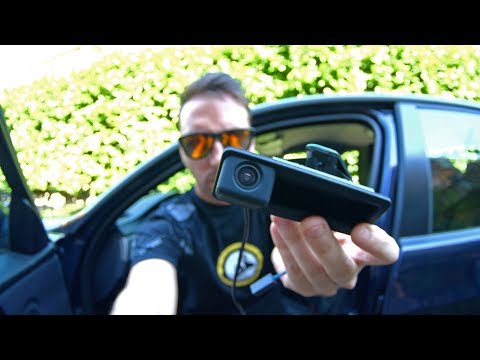
BMW Serie 3
(2005-2013 /
E91, E90, E92)
To install the backup camera on a BMW 3 Series, open the trunk lid and remove the cover inside by pulling out the retaining clips. This will allow yo…

BMW Serie 3
(2012-2019 /
F30, F31)
Let's see how to install the backup camera in the trunk lid of a BMW 3 Series. First, open the trunk lid of the car, then remove the interior trim on…
BMW Serie 3
(1998-2006 /
E46)
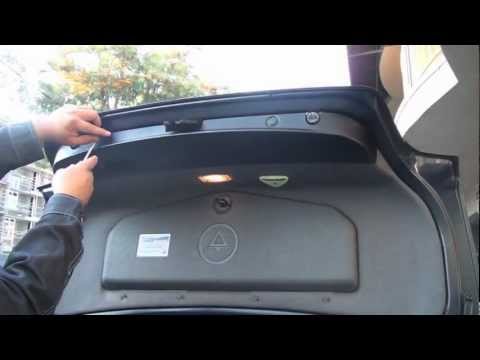
You can purchase an aftermarket camera mounted on a bracket to replace the one for the rear license plate lights: you will need to remove the cover p…
Other guides you may be interested in
|
How to Open the Bonnet on the Lancia Y
To open the bonnet on this vehicle, follow these simple instructions: first, open the driver's door and locate the lever positioned just below the dashboard, marked with an image of the vehicle with the bonnet open. Pull this lever towards you until you hear a "click" indicating the bonnet is released. Next, exit the cabin and stand in front of the bonnet to disengage the safety catch and complete the opening. To do this, slightly lift the bonnet, locate the yellow lever underneath, and pull it to the left to fully release and open the bonnet. by ScegliAuto More videos
|
|
For advertising on this site Write to info@scegliauto.com
ScegliAuto is not responsible for any inaccuracy of the data in the lists. To report any inaccuracy or your business (if you own the business in question), please write to info@scegliauto.com
Number of seconds to generate the page: 0.081
(c) ScegliAuto 2026 - info@scegliauto.com - Privacy policy VAT number: IT01247470535 |
