
|
Do it yourself
| |||
| ||||


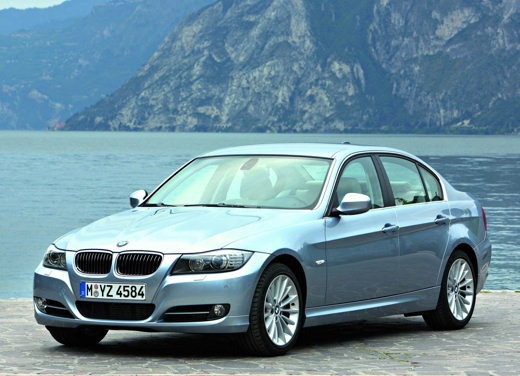
How to Replace the Fuel Filter on the BMW 3 Series?
Model: BMW Serie 3
E92, E90, E91
- Years:
2005, 2006, 2007, 2008, 2009, 2010, 2011, 2012, 2013
Video tutorial
To replace the fuel filter on the BMW 3 Series, lift the car and loosen the mounting bolts of the protection panel. After removing the protection panel, place a container under the filter to catch any fluids. Use a flathead screwdriver to loosen the clamps on the fuel filter and remove the retaining clip's elastic ring from the fuel pressure regulator. Then, use a lever tool to detach the pressure regulator from the filter. At this point, loosen the bolt that secures the filter bracket and disconnect the filter from the fuel lines. Once the old filter is removed, it can be replaced.
Updated on 9 May 2026 by ScegliAuto
Related tutorials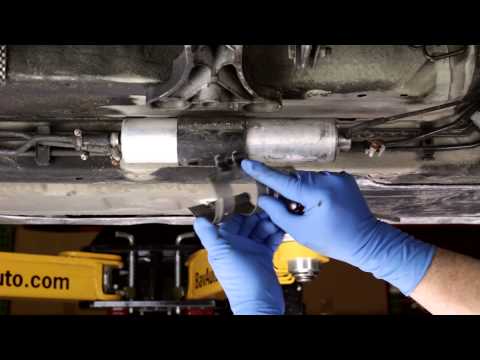
BMW Serie 3
(2005-2013 /
E92, E90, E91)
Replace the fuel filter on a BMW 3 Series if you have exceeded the recommended mileage. Lift the car on a column lift and locate the fuel filter as s…
BMW Serie 3
(1998-2006 /
E46)
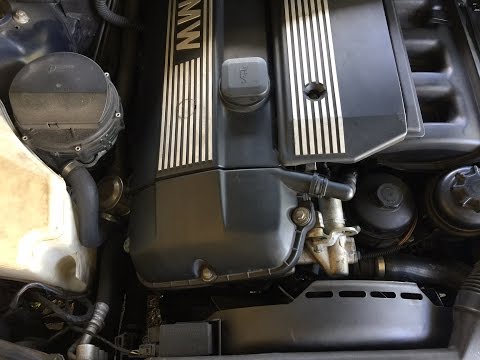
Let's see how to remove the fuel filter on a BMW 3 Series. Raise the car to access the fuel filter located under the vehicle's floor. Remove the reta…

BMW Serie 3
(2005-2013 /
E92, E90, E91)
To replace the fuel filter of the BMW 3 Series, we need to work under the car floor: if we have the availability of a lifting bridge the operation wi…
Other guides you may be interested in |
How to Reset the Tyre Pressure Warning Light on the Jeep Renegade?
To reset the tyre pressure warning light on the Jeep Renegade, inflate the tyres until they reach the recommended pressure: this value is indicated on the sticker attached to the driver’s door pillar. Once the tyres are properly inflated, navigate through the menu that appears on the instrument cluster until you find the tyre pressure option. At this point, press and hold the OK button on the right side of the steering wheel to make the warning light disappear. by ScegliAuto More videos
|
|
For advertising on this site Write to info@scegliauto.com
ScegliAuto is not responsible for any inaccuracy of the data in the lists. To report any inaccuracy or your business (if you own the business in question), please write to info@scegliauto.com
Number of seconds to generate the page: 0.016
(c) ScegliAuto 2026 - info@scegliauto.com - Privacy policy VAT number: IT01247470535 |
